Mattermost
Connect a Mattermost bot to LangBot and bring agents and workflows to your Mattermost server in minutes.
The screenshots below use the Chinese interface. Follow the corresponding menu items and fields described in the text.
Create a bot account
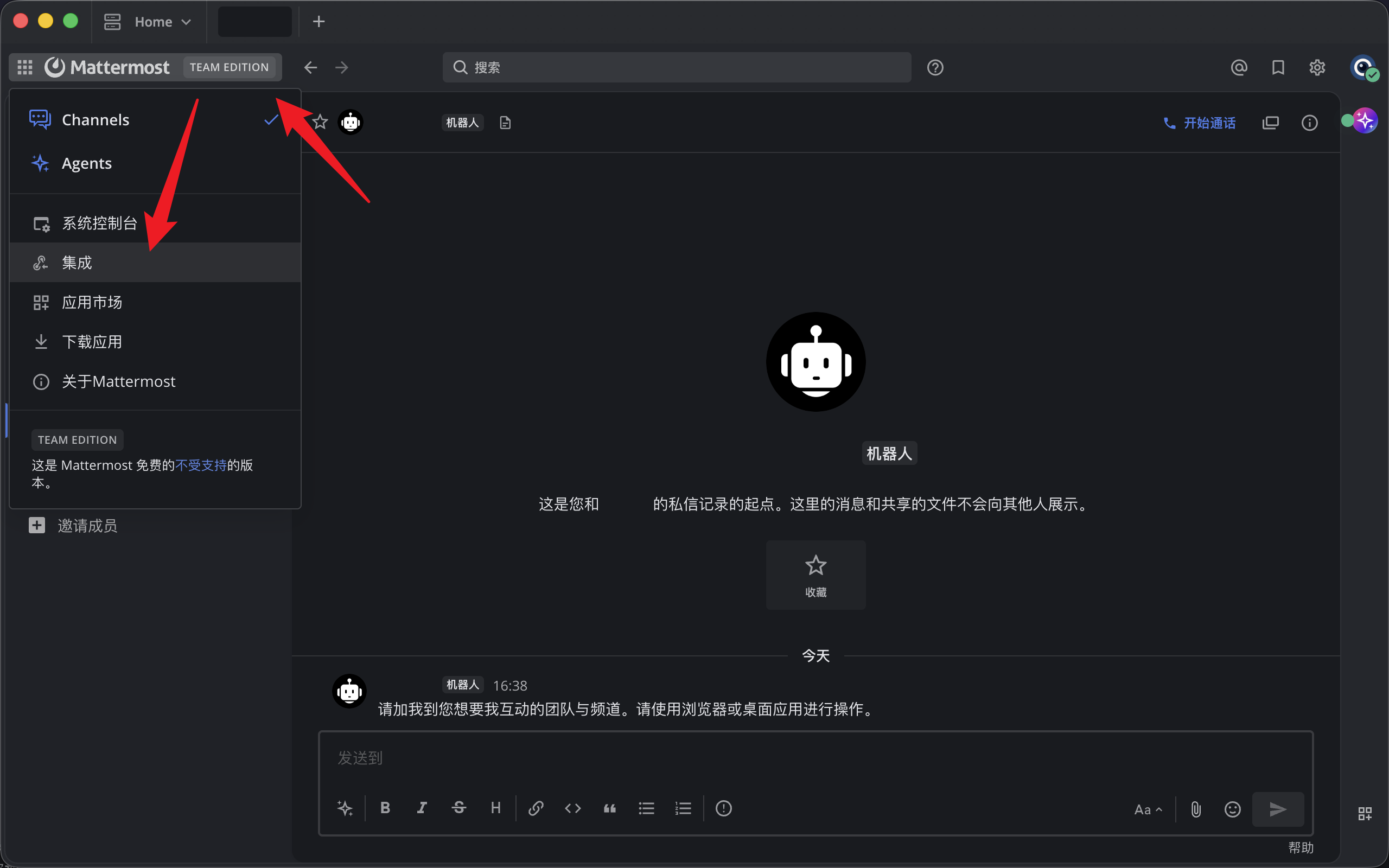
Log in to your Mattermost instance (self-hosted or hosted by Mattermost). Click the Mattermost icon in the upper-left corner and select Integrations from the menu.
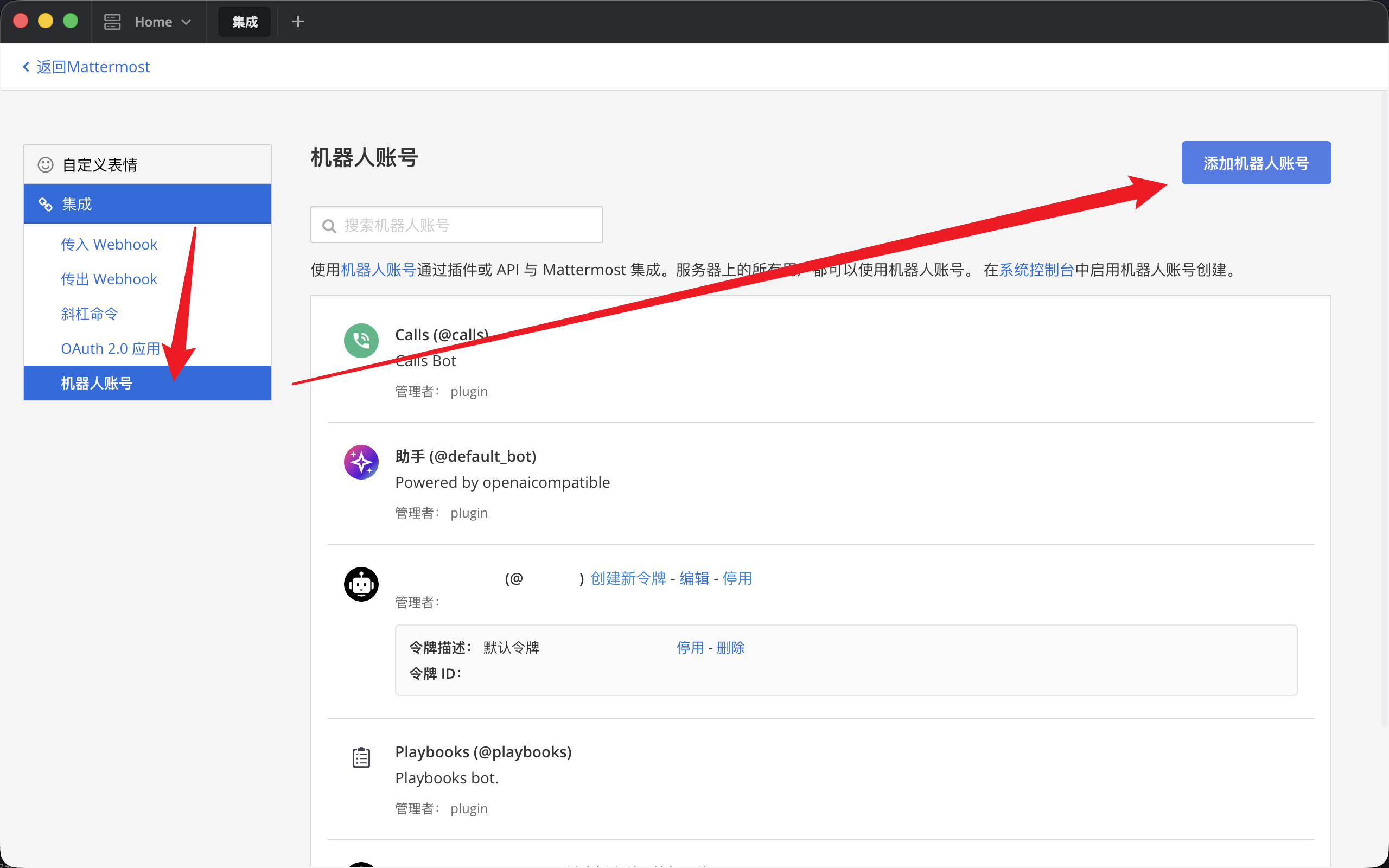
On the Integrations page, select Bot Accounts in the left menu, then click Add Bot Account in the upper-right corner.
Choose a username for the bot.
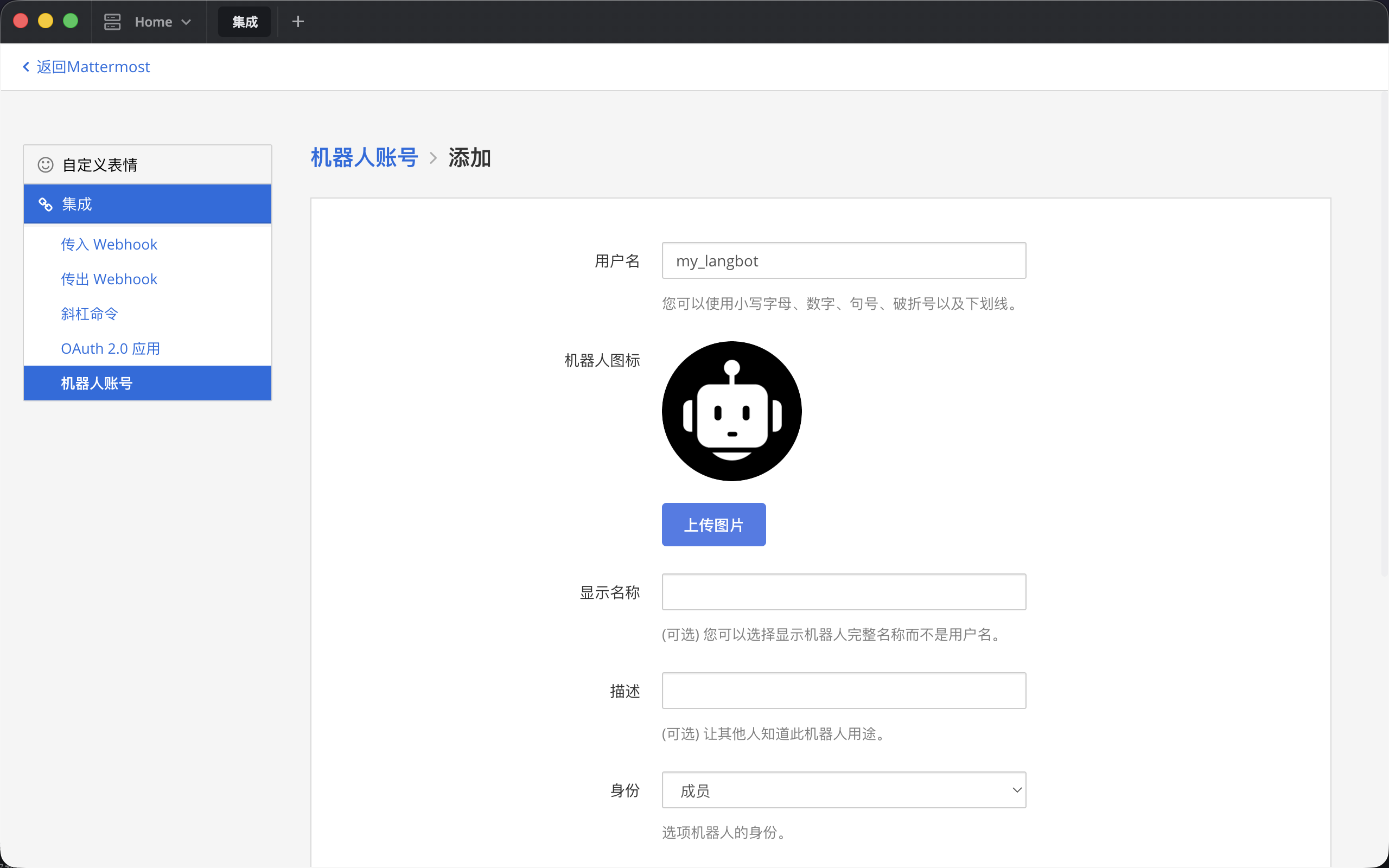
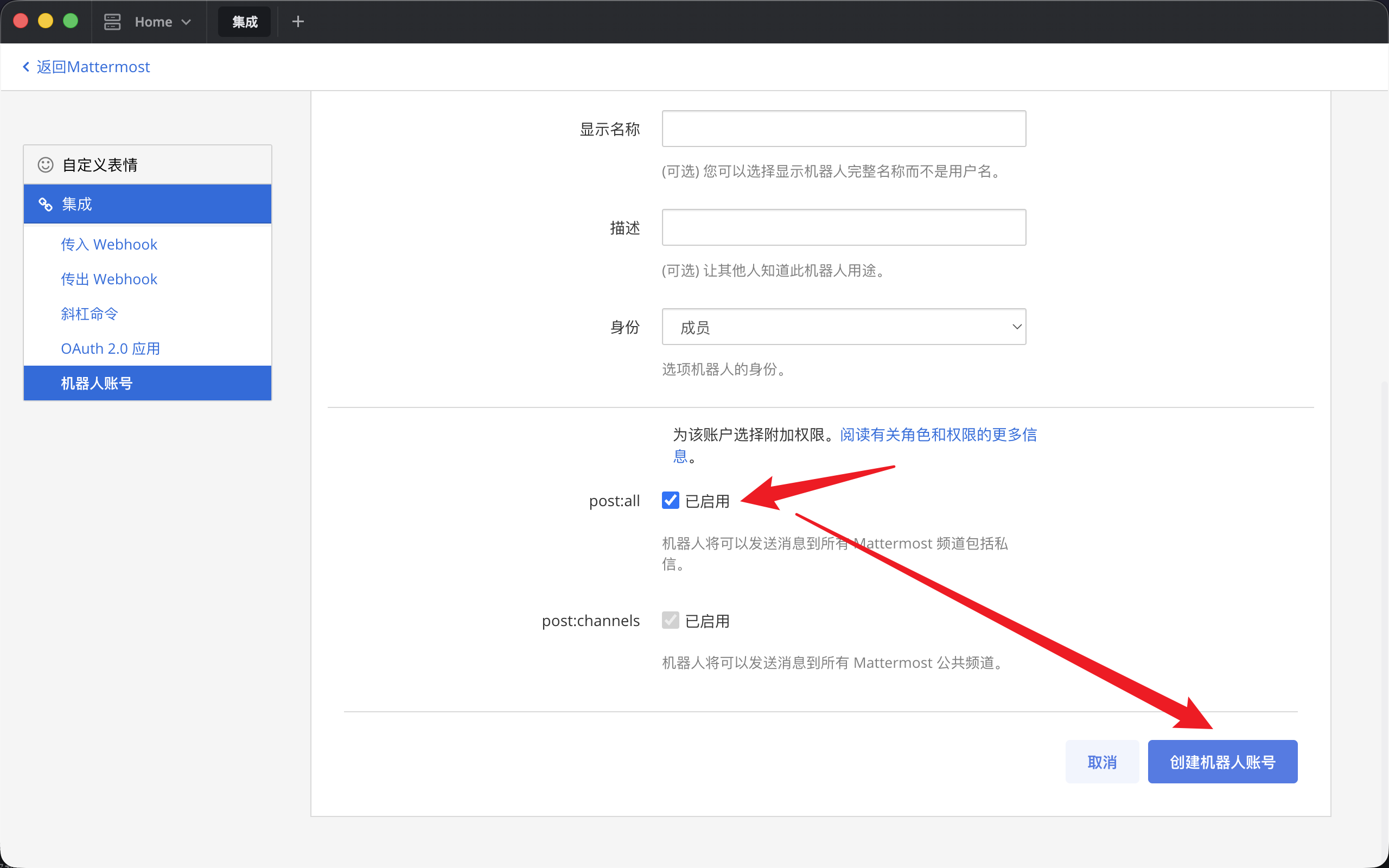
Set the role to Member (administrator-related features are not currently supported). Select post:all if you need direct messages, or select only post:channels if you only need public channels. Then click Create Bot Account in the lower-right corner.
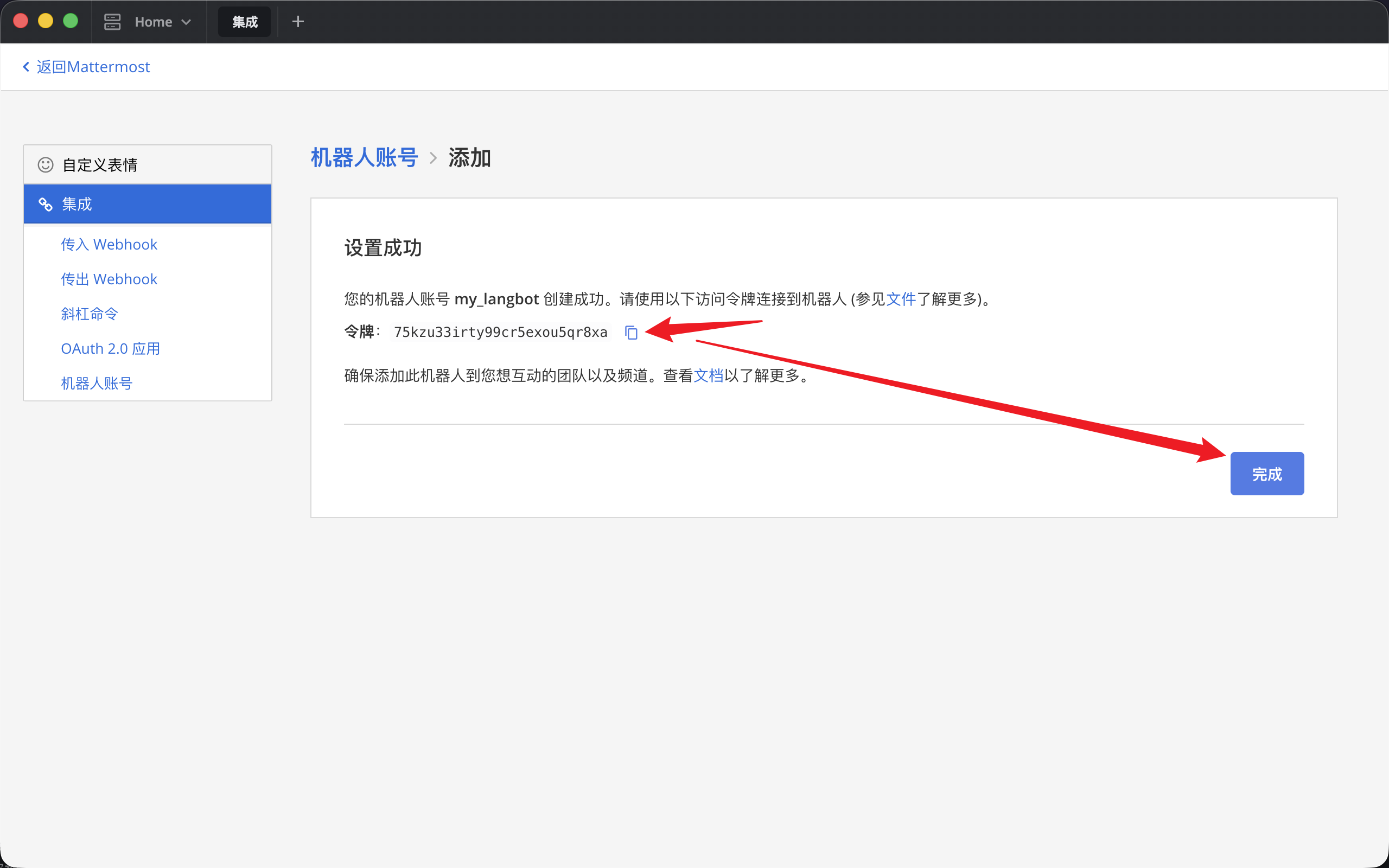
Click the button to copy the token. It is shown only once, so save it securely. Then click Done in the lower-right corner.
Configure the bot in LangBot
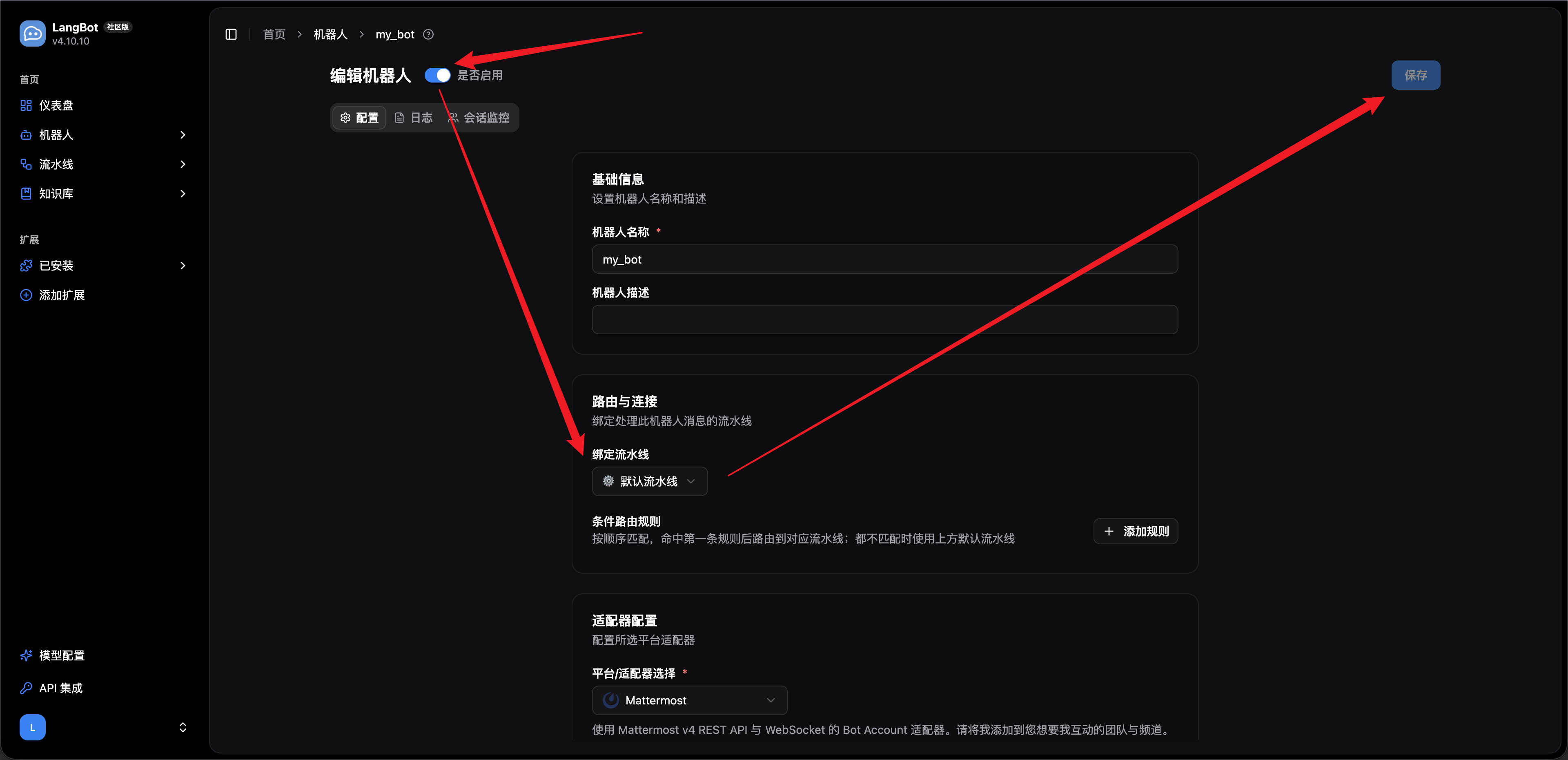
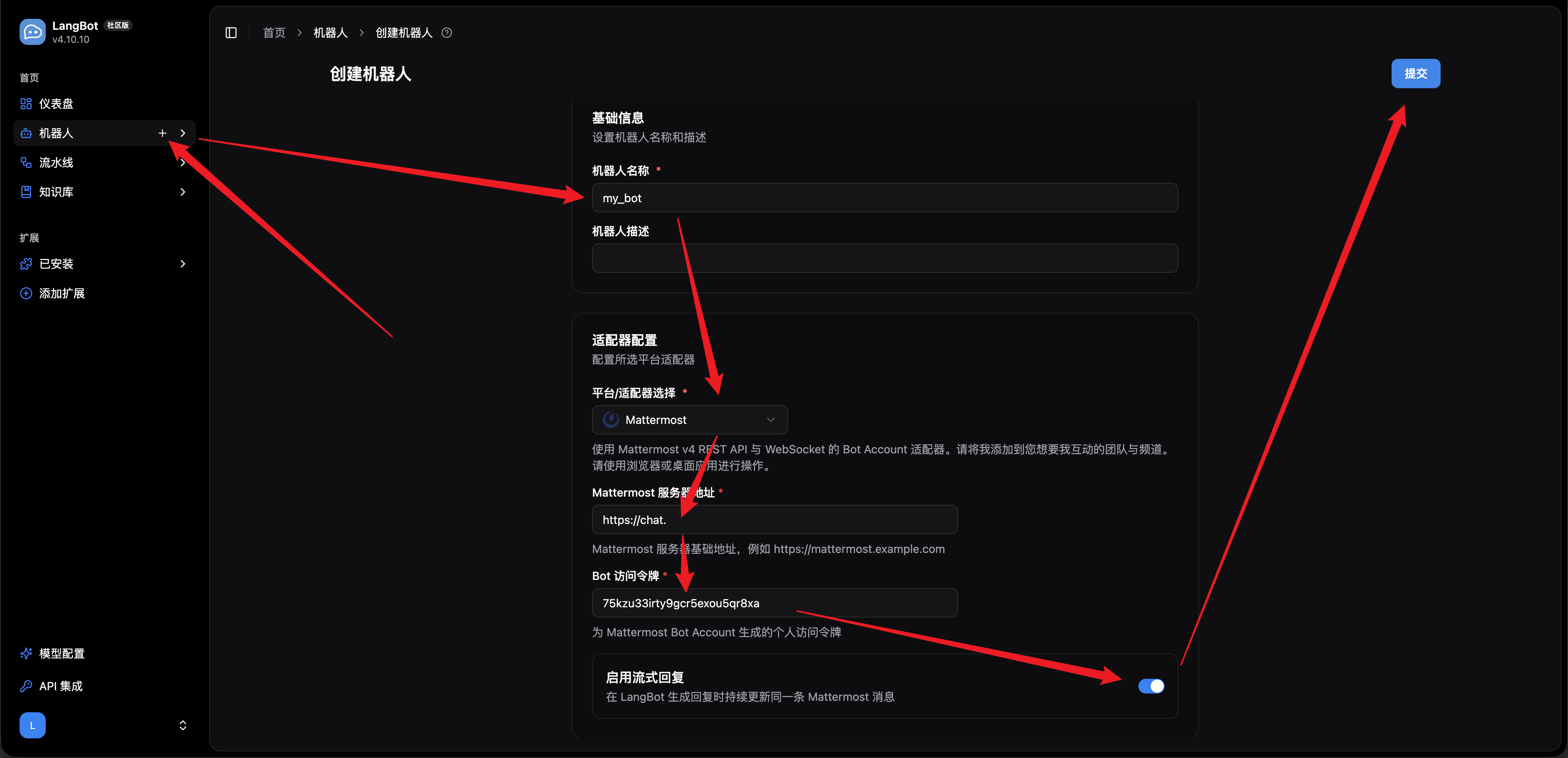
Open LangBot Cloud or your self-hosted LangBot instance and follow the red arrows in the screenshot below:
- Hover over the
Botstab on the left and click the+icon that appears. - Enter a name in the
Bot Namefield. - Open the platform adapter dropdown and select
Mattermost. - Enter the address of your Mattermost instance and the token for the bot account you just created.
- (Optional) Disable streaming output if your pipeline or AI provider does not support it.
- Click
Submitin the upper-right corner to open the bot editing page.
Bind an existing pipeline, configure routing if needed, and click Save in the upper-right corner.