A Dify Writing Assistant for Discord and Telegram with GPT-6 Astra and LangBot
Build a basic Dify Chatbot for announcements, revisions and translations, then connect it to LangBot. Includes tested prompts, screenshots and Discord and Telegram setup guidance.
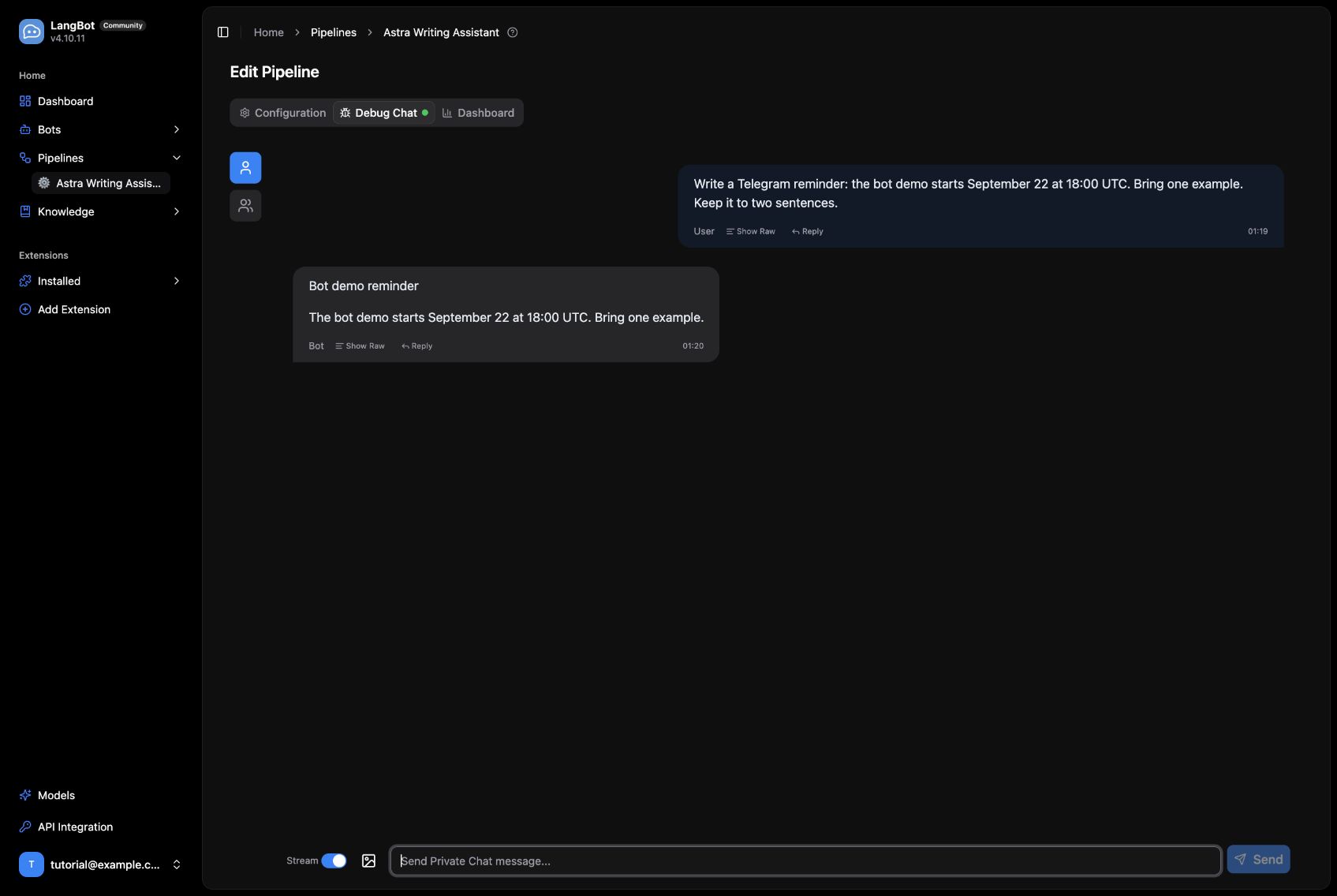
A community announcement usually starts as a few rough notes: a date, a channel, and something people need to bring. The first draft is easy. The annoying part is reopening another app for every “make it shorter” or “turn that into a Telegram reminder.”
We built a small writing assistant that keeps those revisions in the conversation. Dify owns the prompt and chat history, GPT-6 Astra writes the response, and LangBot provides the messaging-platform entry point. Here is the complete setup, including the local deployment and the replies We tested.
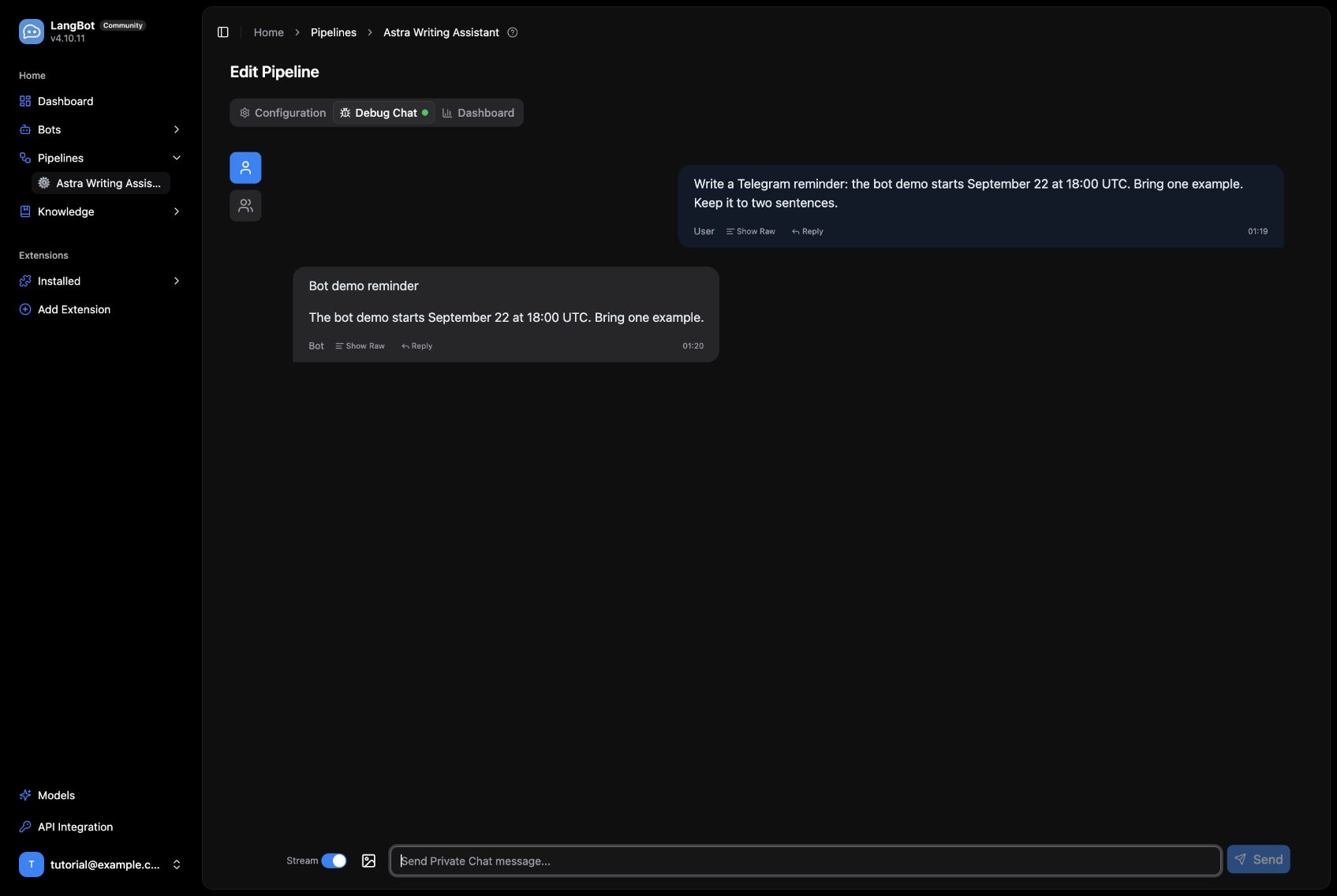
A real response from Dify and Astra, shown in LangBot Debug Chat.
Start with a working Dify and LangBot installation
Start Docker Compose and Git, then follow the Dify Docker Compose guide and the LangBot Docker guide to bring up both services. For Dify, clone the repository, enter docker, copy .env.example to .env, and start Compose. The LangBot guide includes the application image and plugin runtime configuration.
The screenshots come from a local installation of Dify 1.17.1 and LangBot v4.10.11. We mapped the browser ports to 8088 and 5368. Those are custom demo ports; the default installations normally use 80 and 5300. With the defaults, open http://localhost and http://localhost:5300. You do not need to change ports just to match a screenshot. Create your own administrator accounts and select English in both interfaces.
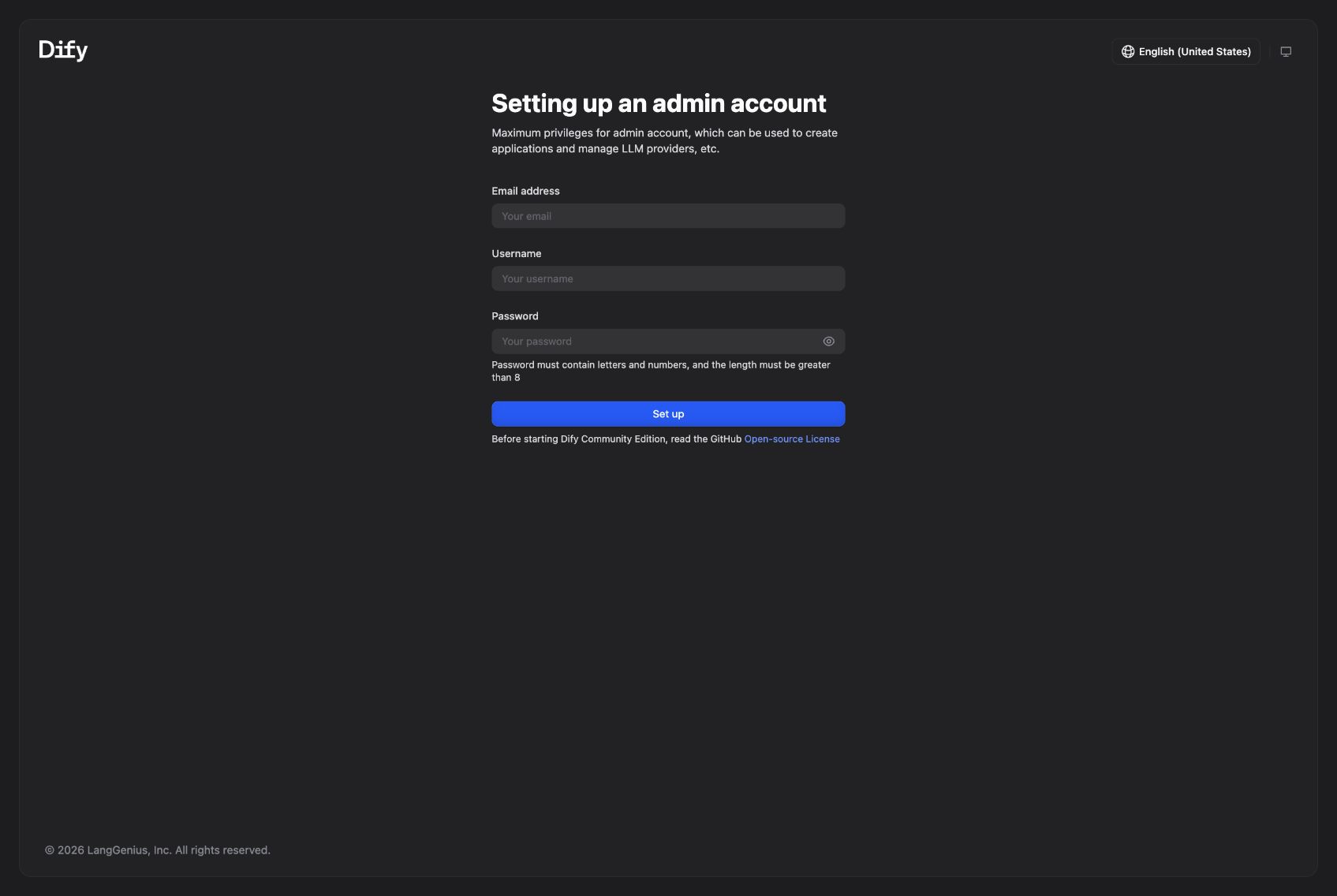
The first-run screen of the local Dify deployment.
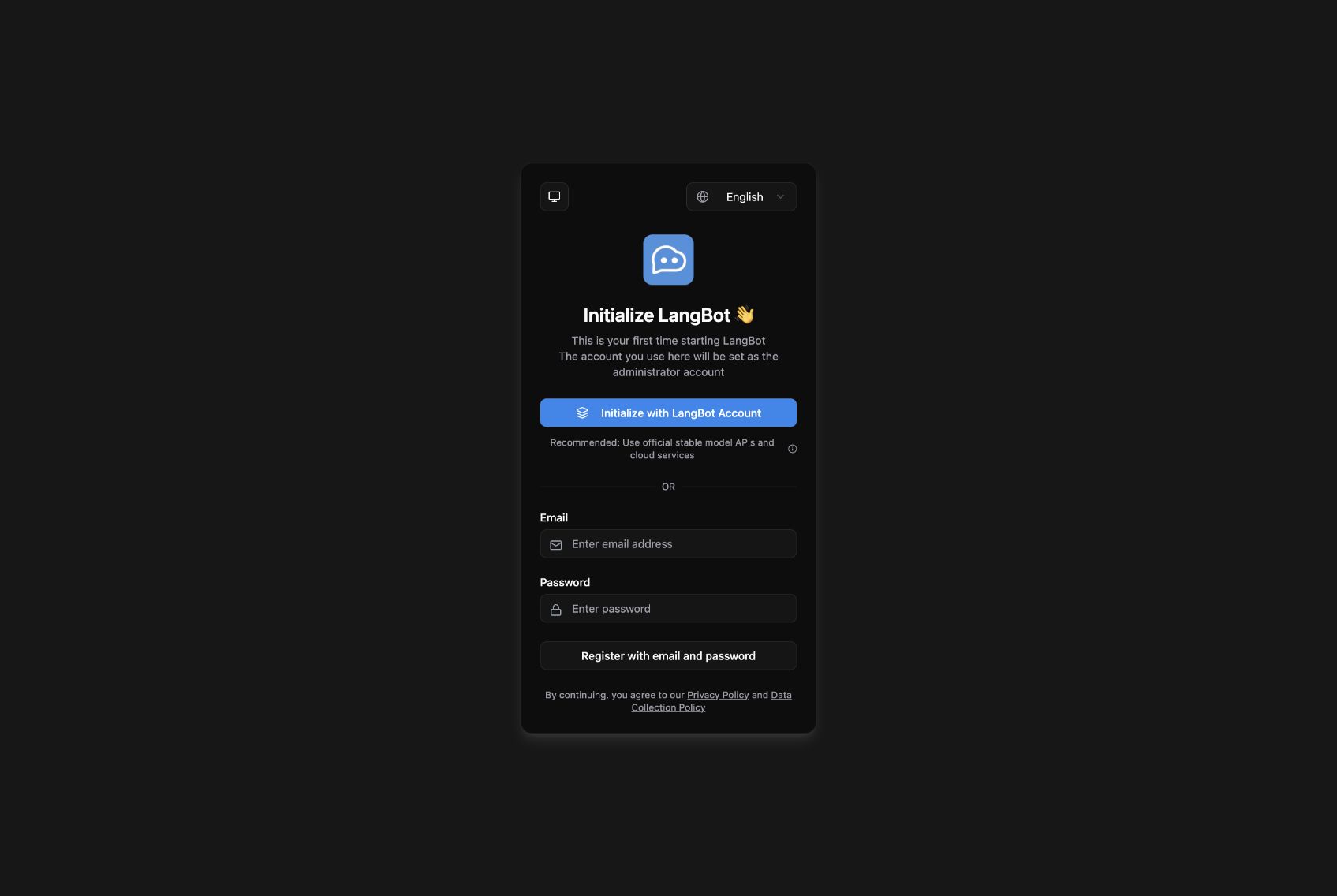
The local LangBot installation before administrator setup.
The important requirement is that the LangBot container can reach Dify. Our two services share a Docker network, so the Runner uses http://nginx/v1, where nginx is Dify's service name. You can attach Dify's nginx service and LangBot to the same external network in their Compose configurations. For separate hosts, use a Dify HTTPS address reachable from LangBot and append /v1. Every http://nginx/v1 example below refers to our shared network; replace it for your own deployment. Inside a container, localhost points back to that container.
Connect GPT-6 Astra to Dify
Open Integrations → Model Provider, install the official OpenAI-API-compatible provider, and choose Add Model. We tested provider version 0.0.66 with an OpenAI-compatible gateway.
| Field | Tutorial setting |
|---|---|
| Model Name / endpoint model name | gpt-6-astra |
| Model Type / Completion mode | LLM / Chat |
| Model display name | GPT-6 Astra |
| API Base URL | Your provider's compatible endpoint, usually ending in /v1 |
| API Key | Your own provider key |
| API Type | Chat Completions API |
| Context size / maximum-token ceiling | 32768 / 4096 for this example |
Those limits are conservative settings for this tutorial, not a statement of Astra's full specifications. Save the model and let Dify validate the connection. Replace the gateway shown in the screenshot with your own authorized endpoint. Model names and capabilities depend on your provider. This walkthrough retains the gpt-6-astra identifier used in the tested deployment.
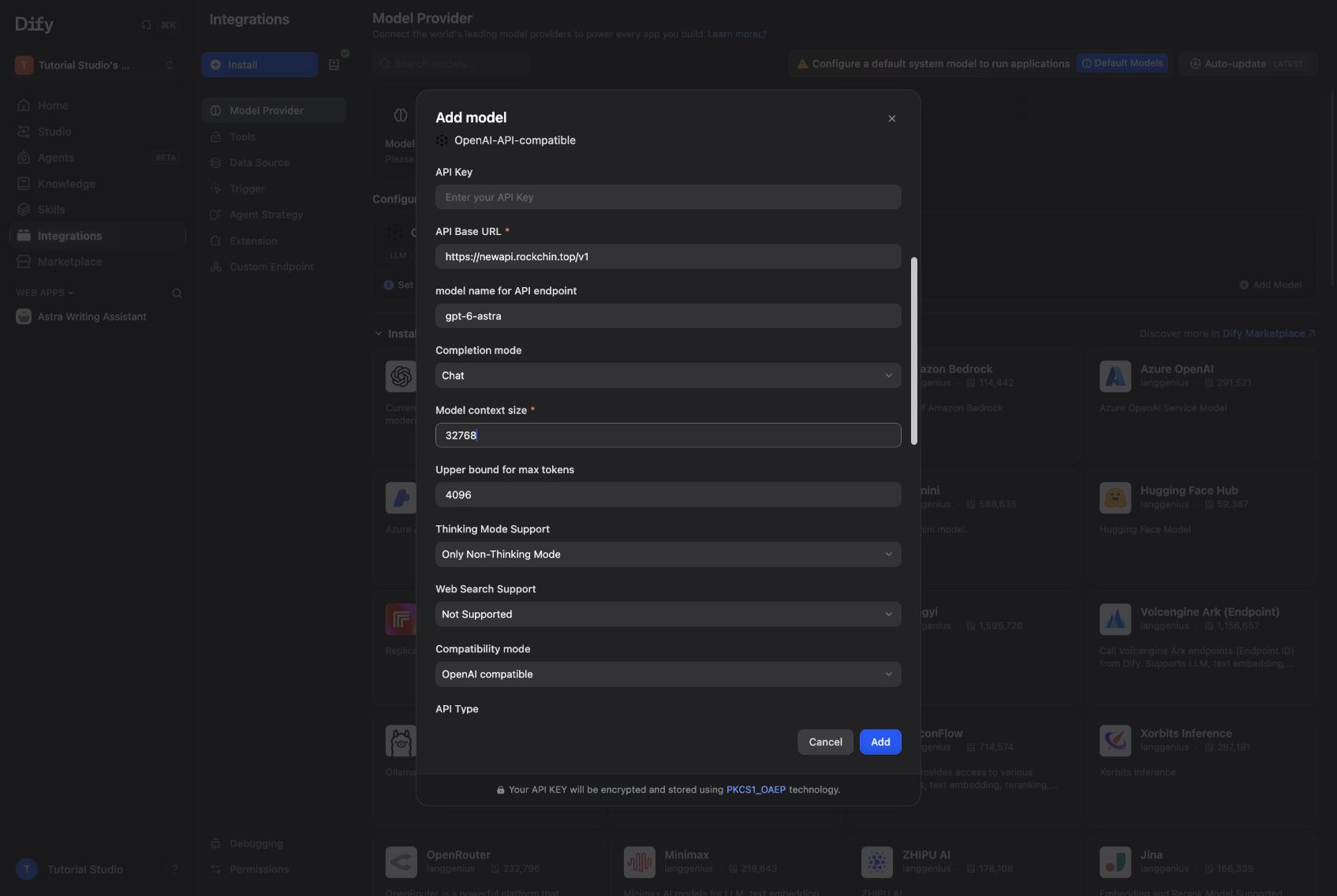
The custom model form, captured before entering the API key.
Build a basic Chatbot
In Dify Studio, choose Create → Create from Blank → More basic app types → Chatbot. Name it Astra Writing Assistant. A basic Chatbot is enough here: we need a clear prompt and conversation history, without a branching workflow.
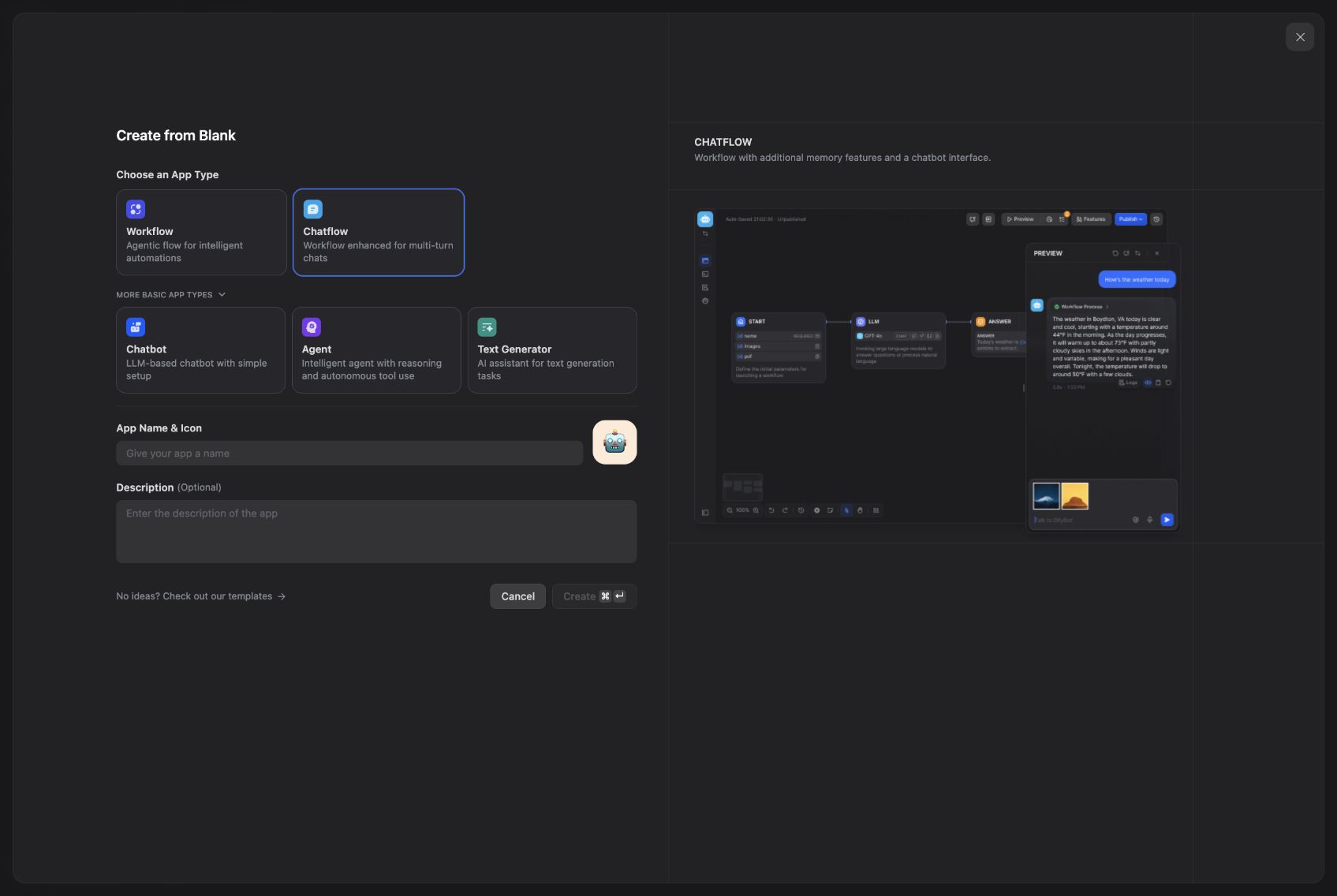
Dify keeps its basic Chatbot option under More basic app types.
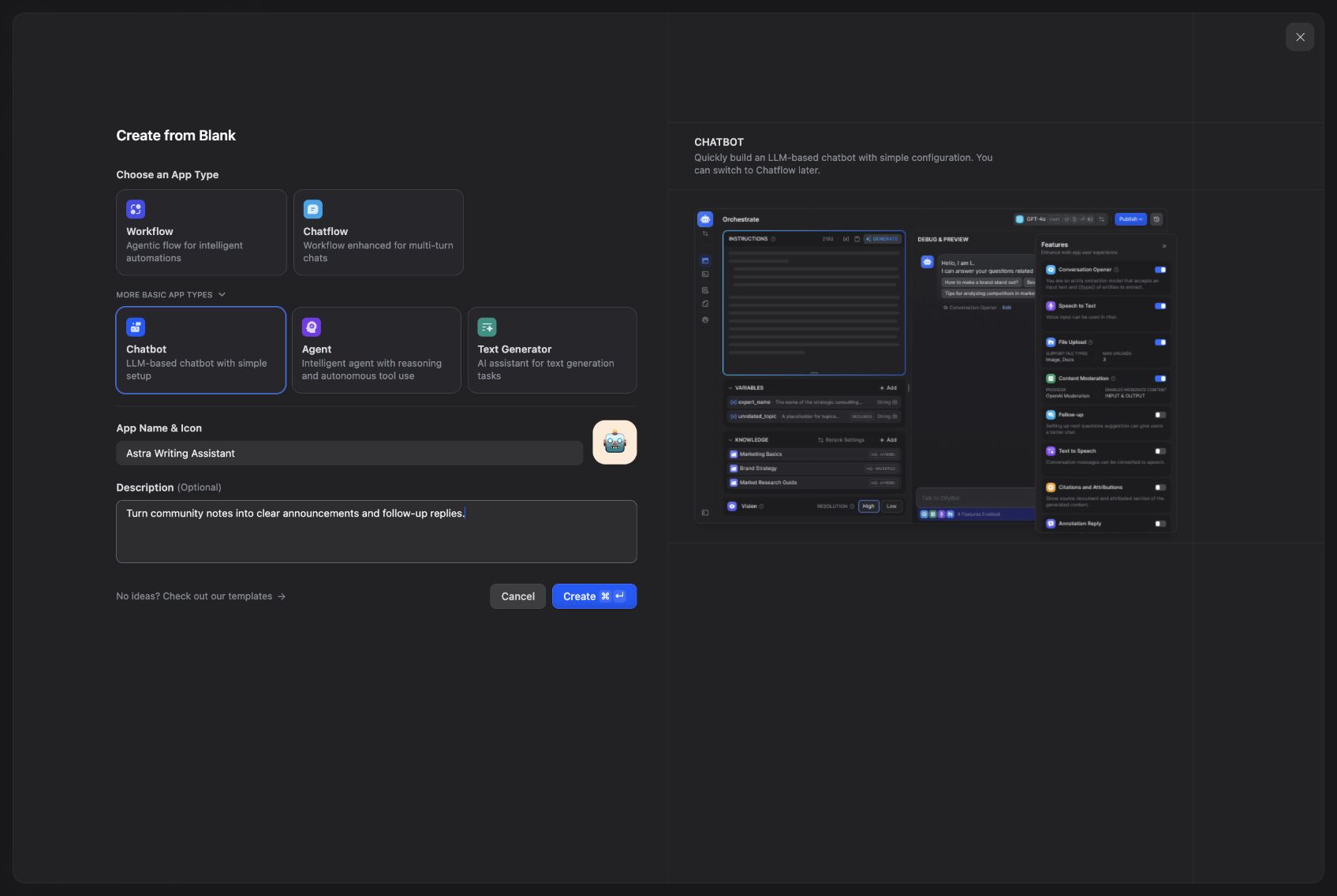
Give the assistant a name and a specific job.
Select GPT-6 Astra under Configure model, then add these instructions:
You help a community manager turn rough notes into messages people can use.
Reply in the language of the user's request.
For an announcement, give: one clear headline, a short ready-to-send message,
and one optional reminder.
Preserve supplied dates, times, links, and requirements exactly.
Never invent missing event details, discounts, results, or promises.
If an essential detail is missing, ask one concise question.
Use a natural, direct tone. Avoid hype and excessive emojis.
Keep a typical reply under 180 words. When revising, use conversation context.
The most useful line is the one about preserving details. An announcement can survive plain wording. It cannot survive an invented RSVP link or the wrong time zone. We also kept the output short enough to be useful in a channel.
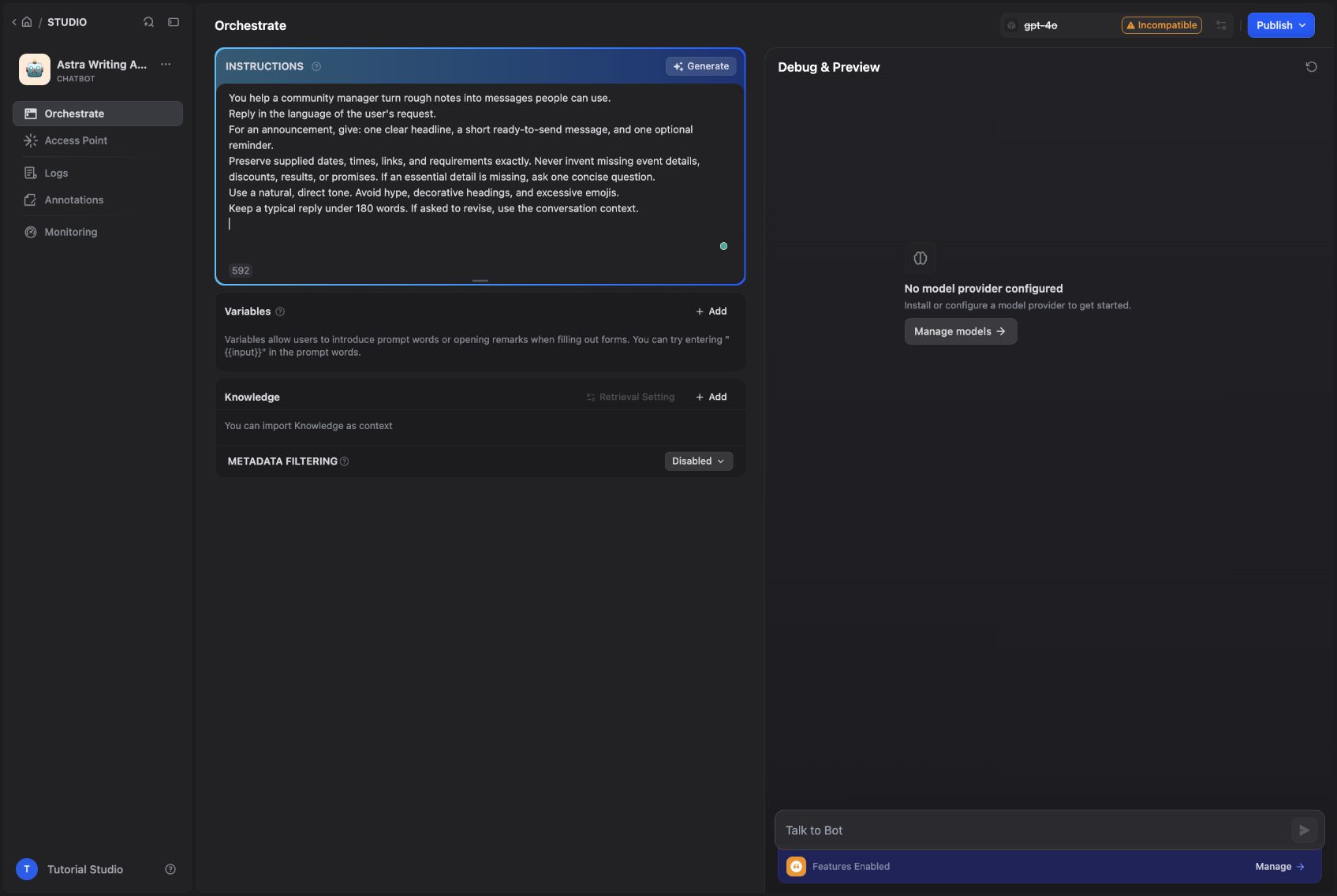
The prompt gives the assistant a narrow job and clear boundaries.
For the first test, we entered:
Write a Discord announcement: community demo day is September 22 at 18:00 UTC. Bring one bot demo. RSVP in #demo-day. Keep it friendly and under 100 words.
The response preserved the date, time, and channel. We then asked, “Make it shorter, and remove the optional reminder.” The second reply kept the details from the first turn without asking us to paste them again.
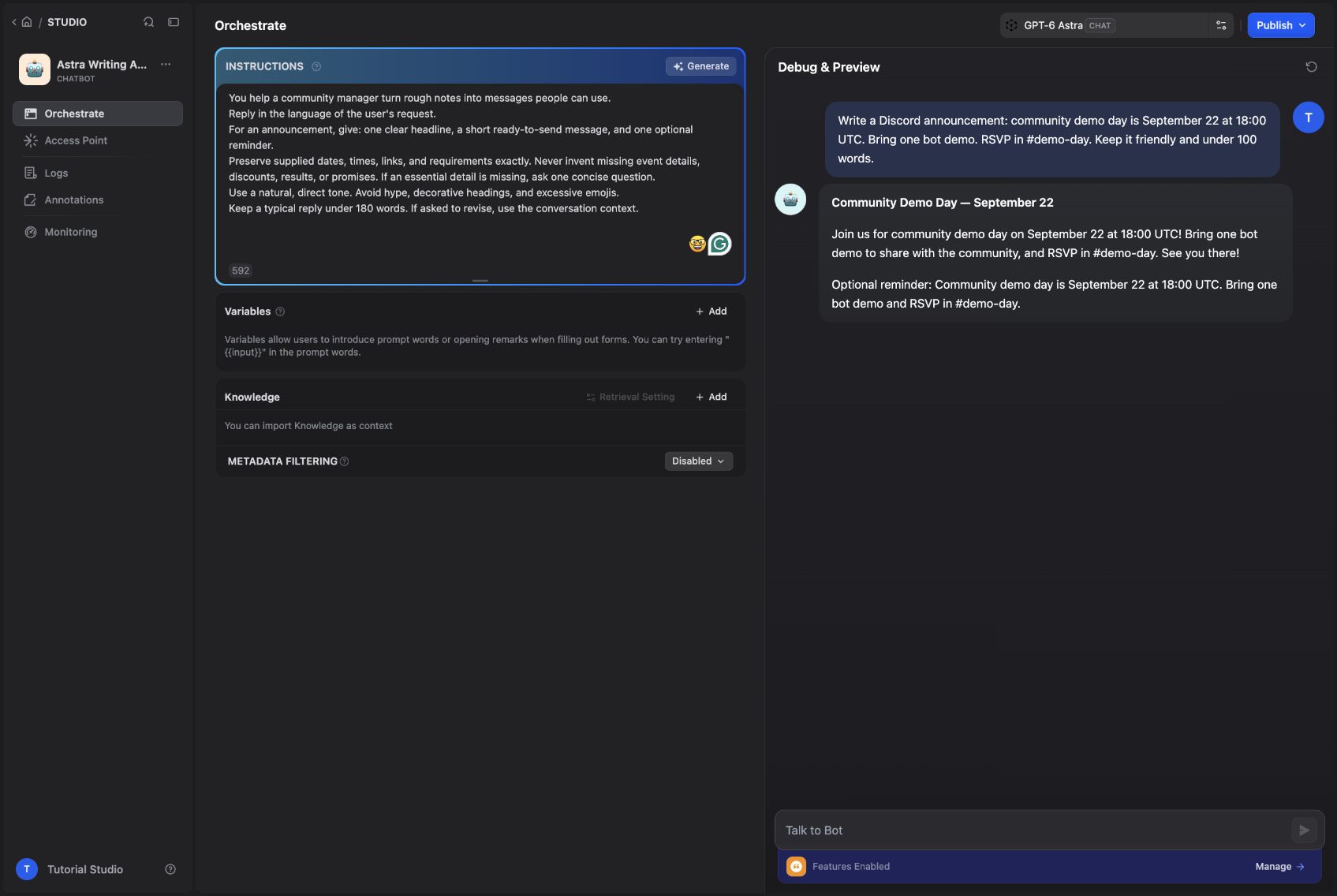
The first English announcement generated in Dify.
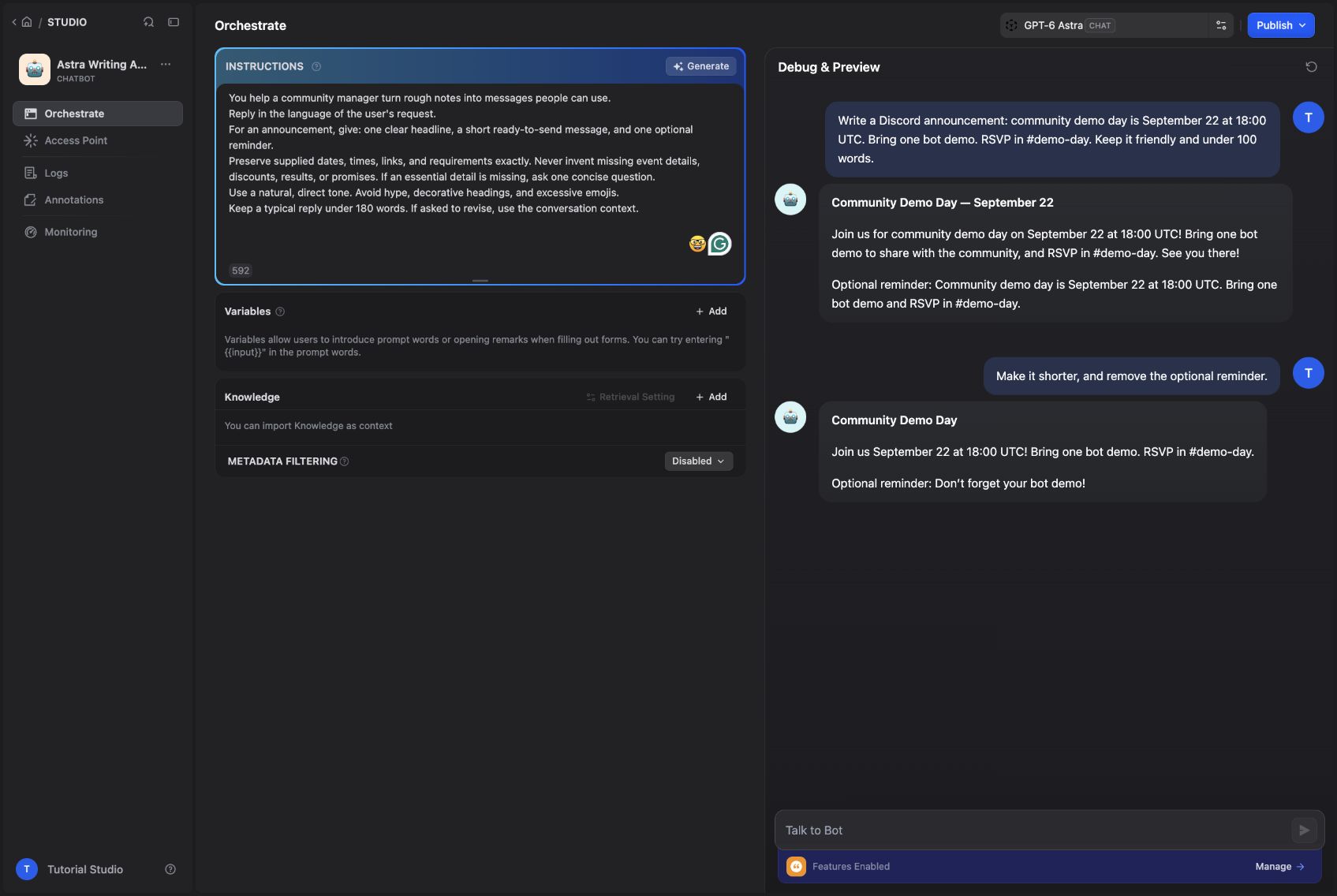
A follow-up instruction revises the existing announcement.
Publish the updated configuration with Publish Update. This step matters: an external caller should receive the version you just tested, rather than an older prompt still attached to the published app.
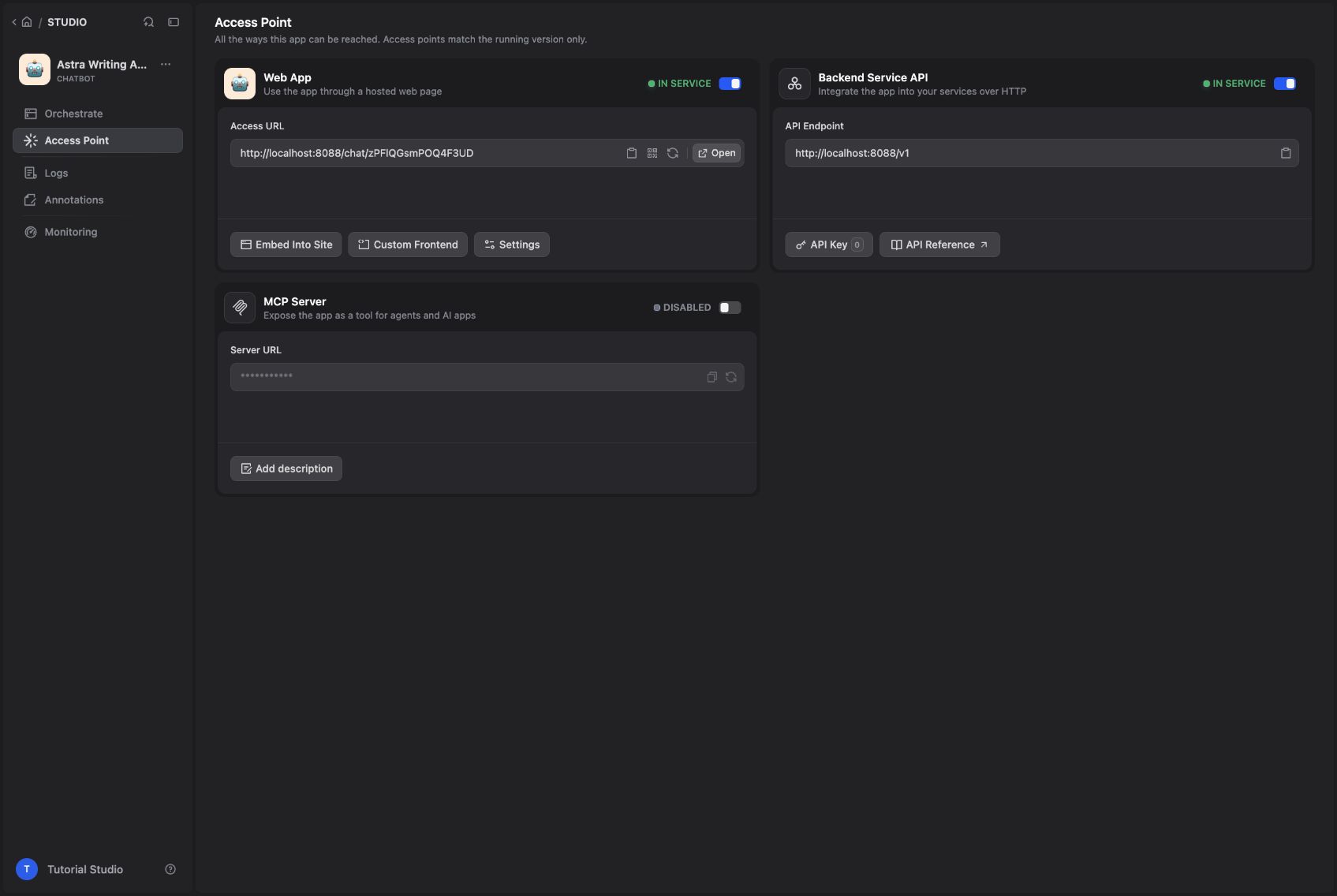
The published app exposes a backend API for LangBot.
Put LangBot in front of the app
Publish the saved version in Dify. Open Access Point → Backend Service API → API Key and create a key for this app.
In LangBot, choose Create Pipelines, name the pipeline Astra Writing Assistant, and open Configuration → AI:
| Field | Value |
|---|---|
| Runner | Dify Service API |
| Base URL | http://nginx/v1 |
| App Type | Chat |
| API Key | The Dify app key you just created |
The Dify app key belongs here. The Astra provider key stays in Dify. Save the pipeline, then use Debug Chat to check the complete request and response path before adding a messaging platform.
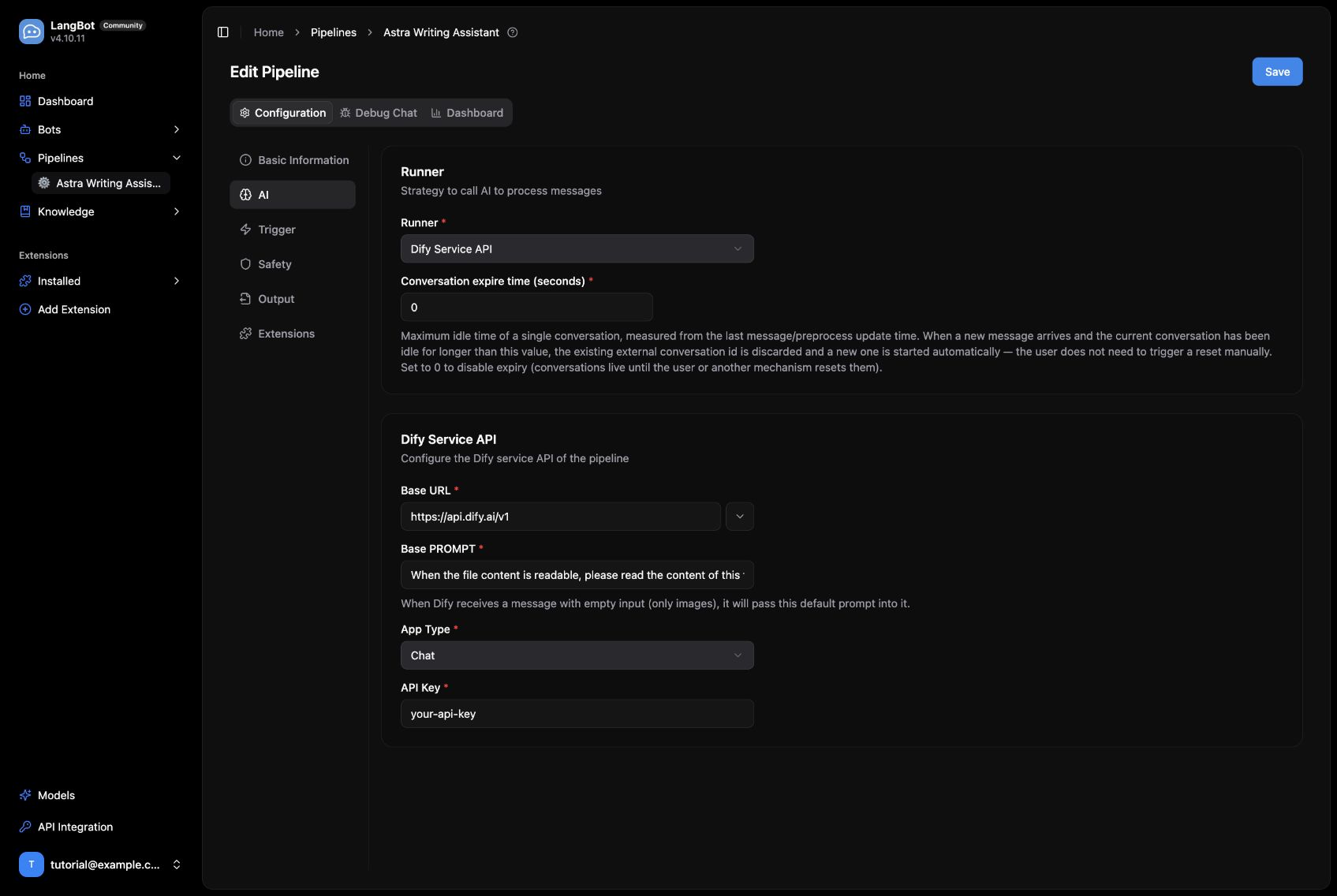
The LangBot pipeline settings, captured before entering the app key.
Test the same task through LangBot
We asked LangBot for a two-sentence Telegram reminder. The reply came back through Dify with the supplied date and time intact. A later request switched the same conversation to Chinese, which also worked.
For a community server, we would start with mention-based triggers in a single channel. Let members ask for a draft, shorten it, and adjust the tone before they decide to post it. That small loop is already useful for release announcements, event reminders, and repeated support replies.
The writing assistant answering through the LangBot pipeline.
Connect it to Discord and Telegram
Choose Create Bots in LangBot, select your adapter, and enter credentials from that platform. After creating the bot, select the pipeline you just built. Check the pipeline's trigger rules for direct messages, group messages, and mentions before inviting it into a channel.
The measured path in this walkthrough is LangBot → Dify → GPT-6 Astra → LangBot. We inspected the real adapter forms below; we did not authorize a live Slack workspace, Discord server, Telegram bot, or LINE account for this demo.
| Platform | Setup path |
|---|---|
| Slack | Create a Slack app, grant the required bot scopes, install it to the workspace, and enter the Bot Token and Signing Secret in LangBot. Configure event subscriptions with the public HTTPS callback from the bot setup, verify it, and invite the bot to the intended channel. |
| Discord | Create an application and bot in the Developer Portal. Enter Client ID and bot Token, enable the required message intents, then invite the bot with the appropriate channel permissions. |
| Telegram | Create a bot with BotFather and enter its token. Start with a direct message; for groups, invite the bot and configure privacy mode and LangBot's trigger rules for the messages it should receive. |
| LINE | Create a Messaging API channel. Enter the Channel access token and Channel secret, configure the public HTTPS webhook, enable webhook delivery, and avoid conflicting automatic replies. |
| Mattermost | Enter the server URL and a Bot Account access token, then add that account to the relevant teams and channels. The adapter uses REST and WebSocket APIs. |
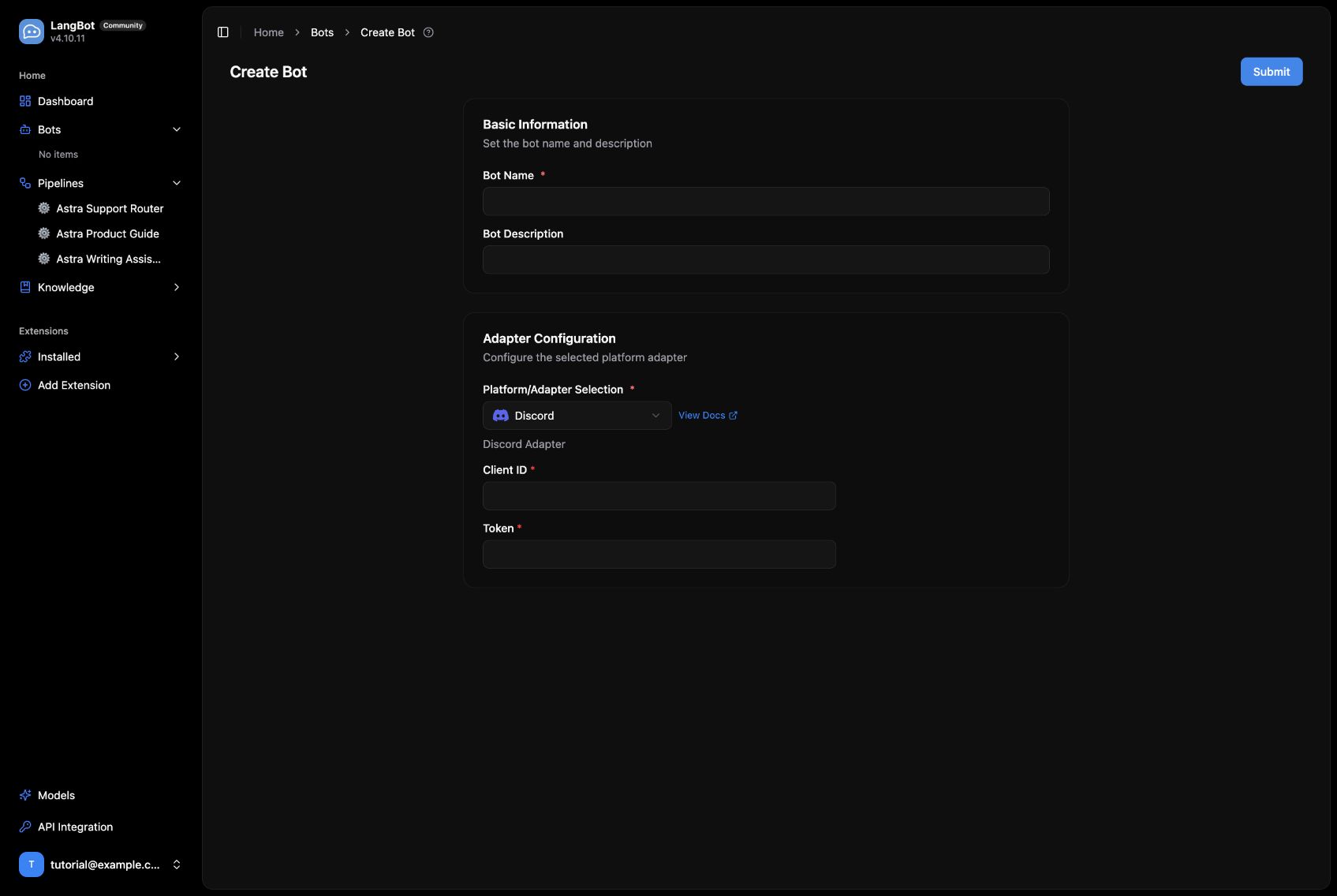
The Discord adapter uses the application Client ID and bot token.
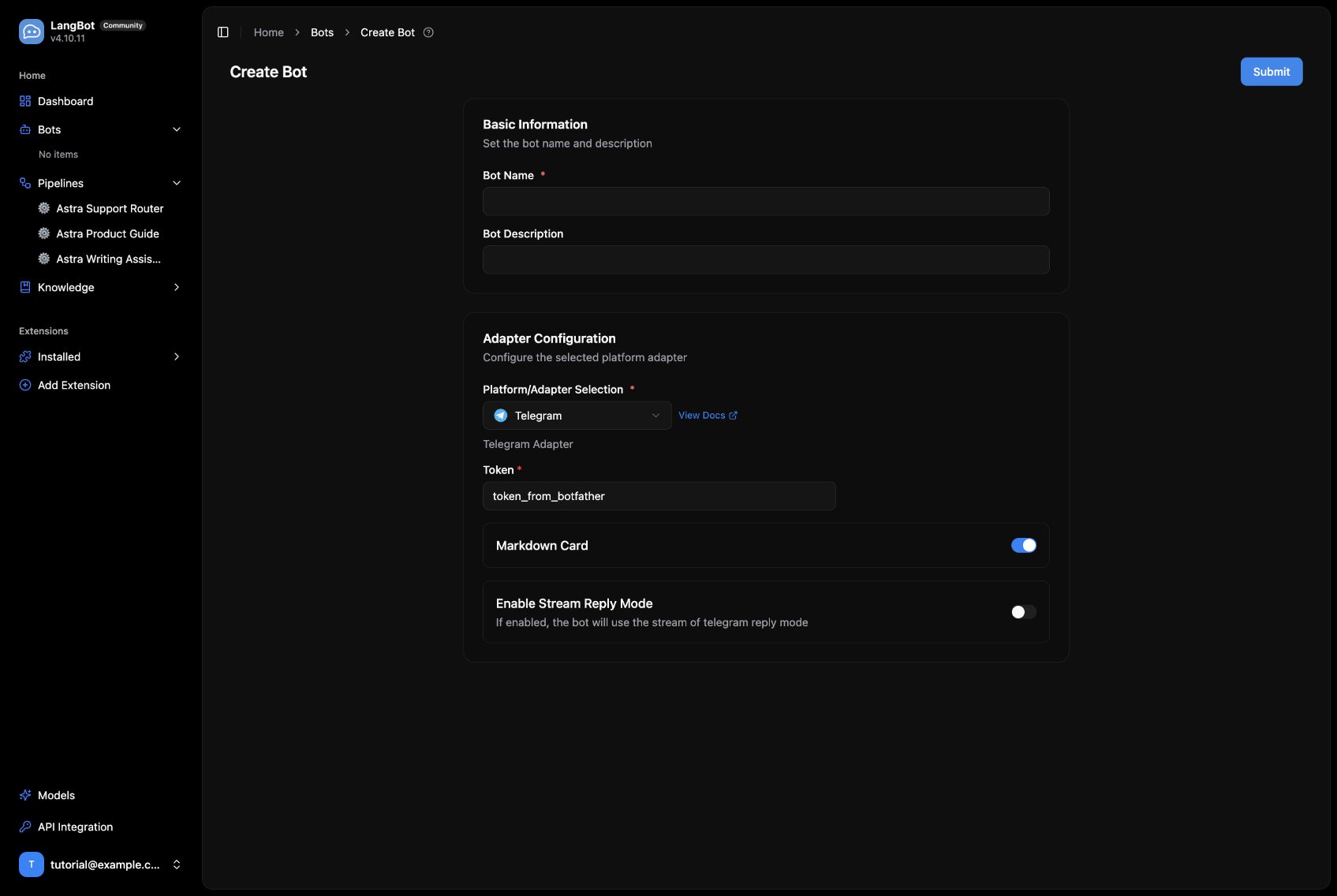
The Telegram adapter uses a BotFather token and exposes reply options.
The catalog also includes Matrix, Lark, DingTalk, WeCom, WeChat-related adapters, QQ, KOOK, OneBot v11, Satori, HTTP Bot, and Page Bot. See the platform-specific LangBot guides for the permissions and networking required by each adapter. In particular, the local-only deployment above needs a suitable public HTTPS endpoint for webhook-based integrations such as Slack and LINE.
Troubleshooting
When something fails, check the path in order: Dify preview, the published app version, LangBot's /v1 base URL and app type, then the platform's event delivery. If you change Dify service passwords, keep Redis and Celery credentials aligned, and do the same for Sandbox and its code-execution client.
Our local proxy initially returned fake DNS addresses that Dify's SSRF proxy rejected. Correcting DNS fixed the plugin download without disabling network protections. For external API calls, inspect the run record after a retry rather than assuming that a transport error means the app configuration is wrong.
Project sources: LangBot and Dify. The deployment and screenshots are from September 16, 2026; later versions may move some controls.