Route Support Questions in Discord and LINE with Dify and LangBot
Use GPT-6 Astra and a Dify Question Classifier to separate account help, product questions and requests for human review. Test each route through LangBot before connecting Discord or LINE.
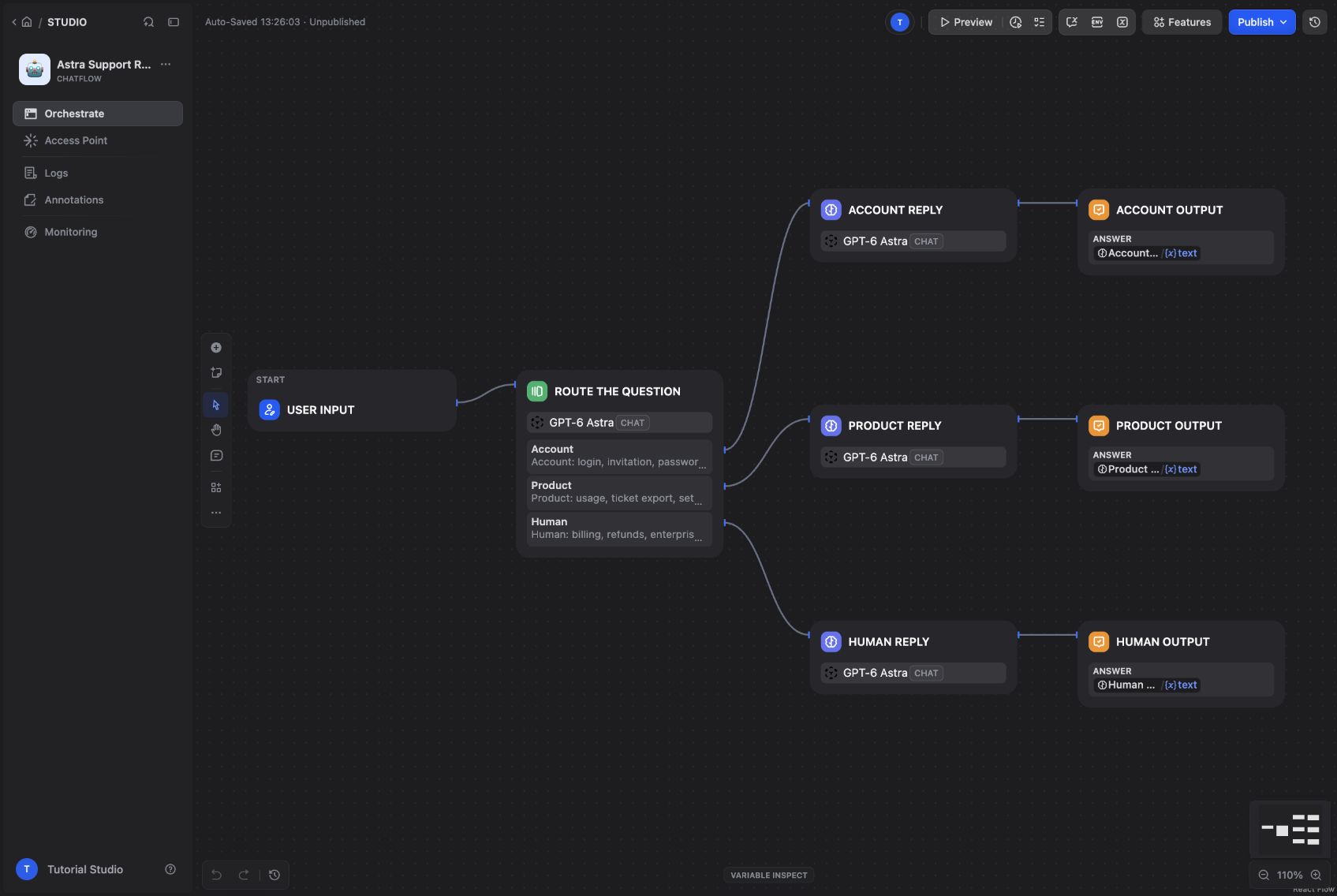
A single support prompt can work surprisingly well—until the same bot receives an expired invitation, an export question, and an angry refund request. Those messages need different responses and different limits.
We built a three-route support assistant in Dify, then connected it through LangBot. GPT-6 Astra classifies the request and writes a reply for the selected route. The result is small enough to inspect: one classifier, three response nodes, and three outputs.
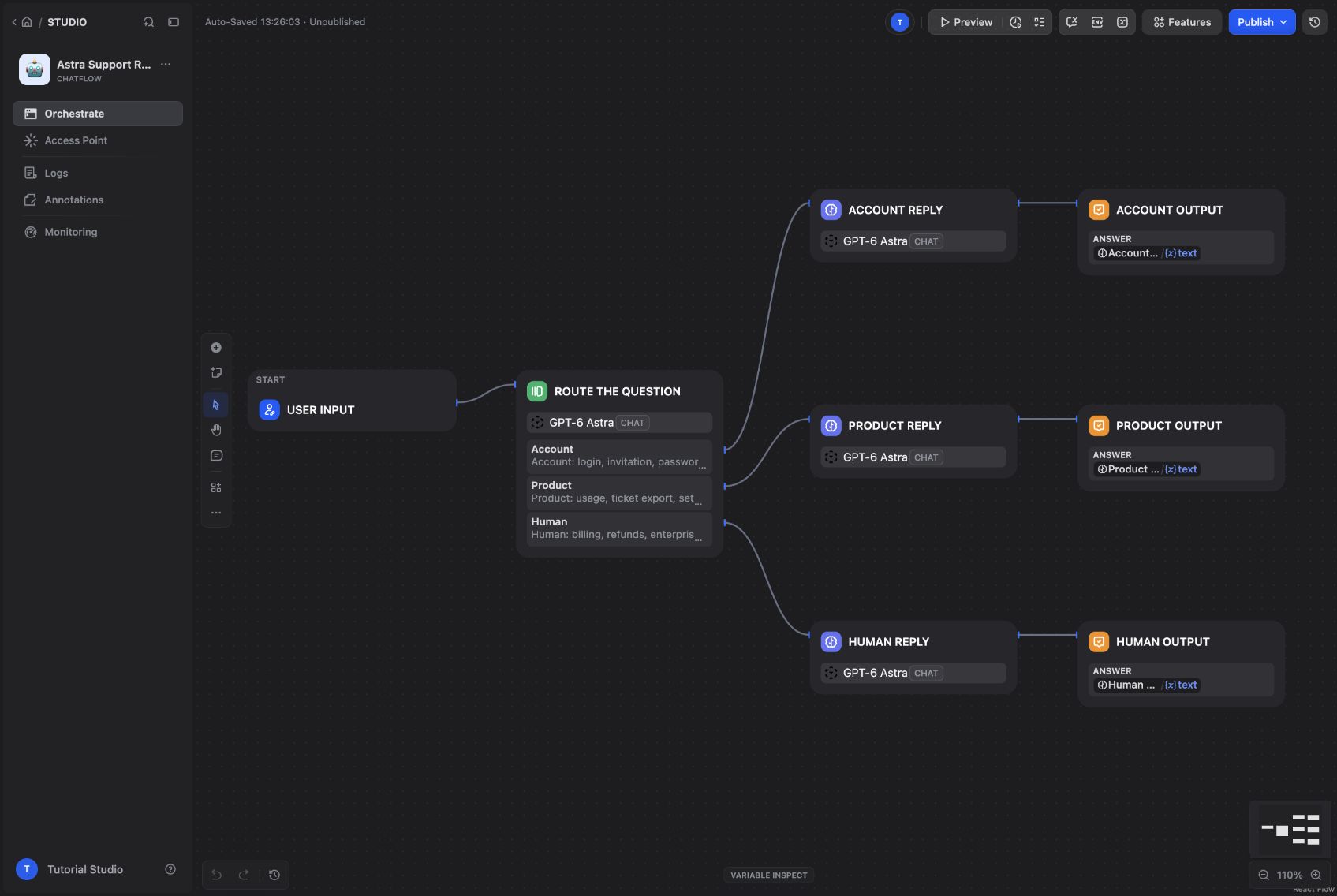
The actual support Chatflow, with separate account, product, and human-review routes.
Start with a working Dify and LangBot installation
Start Docker Compose and Git, then follow the Dify Docker Compose guide and the LangBot Docker guide to bring up both services. For Dify, clone the repository, enter docker, copy .env.example to .env, and start Compose. The LangBot guide includes the application image and plugin runtime configuration.
The screenshots come from a local installation of Dify 1.17.1 and LangBot v4.10.11. We mapped the browser ports to 8088 and 5368. Those are custom demo ports; the default installations normally use 80 and 5300. With the defaults, open http://localhost and http://localhost:5300. You do not need to change ports just to match a screenshot. Create your own administrator accounts and select English in both interfaces.
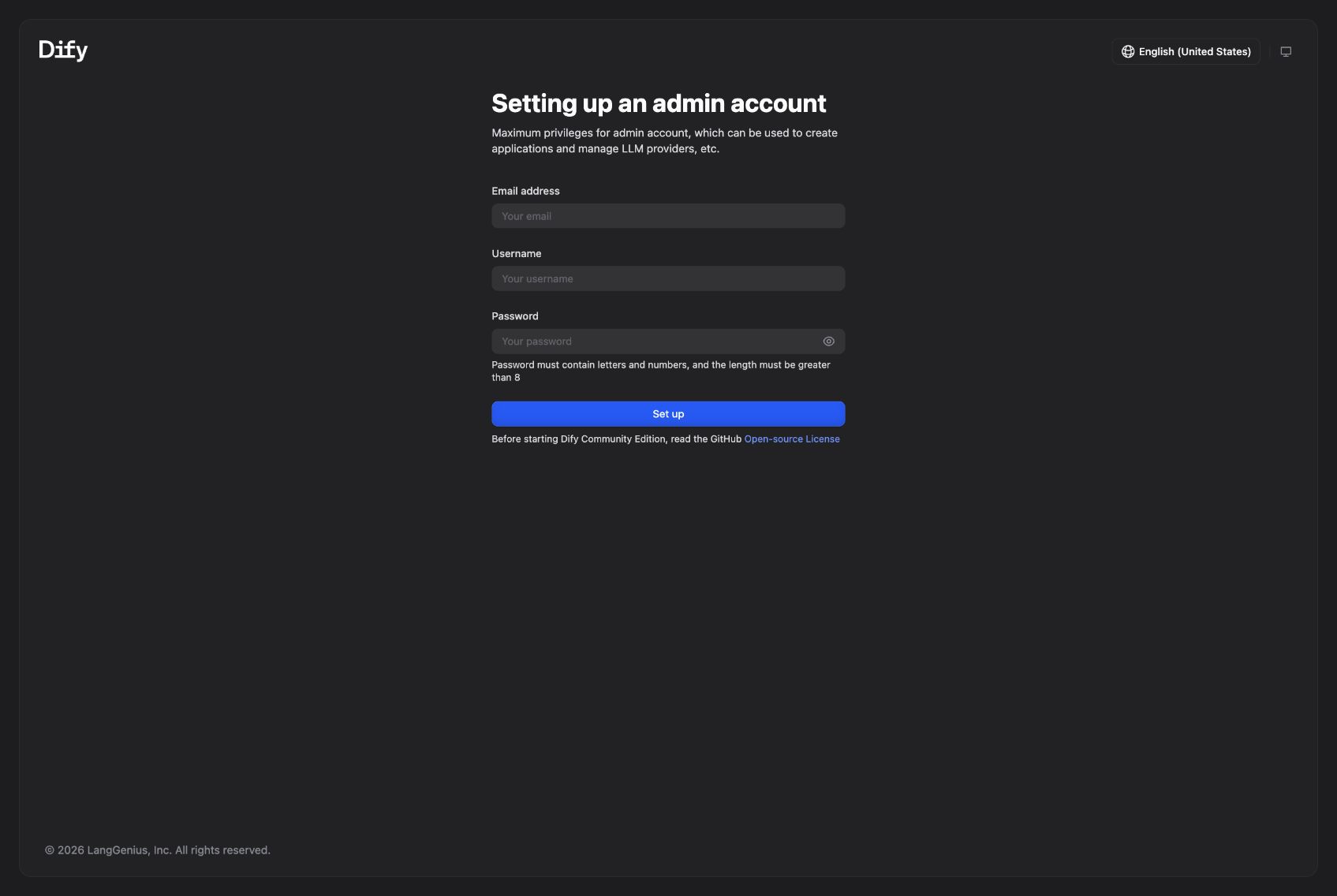
The first-run screen of the local Dify deployment.
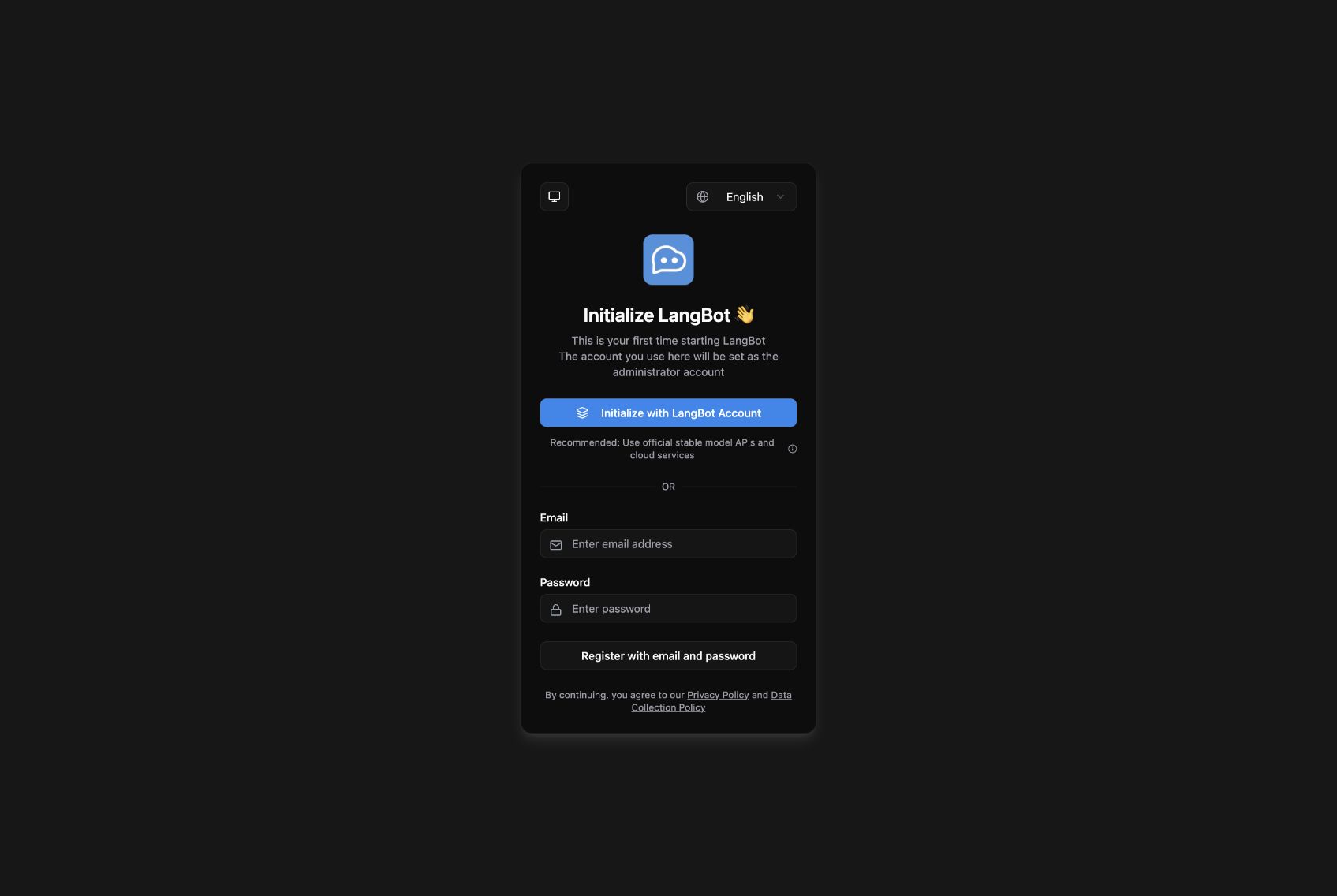
The local LangBot installation before administrator setup.
The important requirement is that the LangBot container can reach Dify. Our two services share a Docker network, so the Runner uses http://nginx/v1, where nginx is Dify's service name. You can attach Dify's nginx service and LangBot to the same external network in their Compose configurations. For separate hosts, use a Dify HTTPS address reachable from LangBot and append /v1. Every http://nginx/v1 example below refers to our shared network; replace it for your own deployment. Inside a container, localhost points back to that container.
Connect GPT-6 Astra to Dify
Open Integrations → Model Provider, install the official OpenAI-API-compatible provider, and choose Add Model. We tested provider version 0.0.66 with an OpenAI-compatible gateway.
| Field | Tutorial setting |
|---|---|
| Model Name / endpoint model name | gpt-6-astra |
| Model Type / Completion mode | LLM / Chat |
| Model display name | GPT-6 Astra |
| API Base URL | Your provider's compatible endpoint, usually ending in /v1 |
| API Key | Your own provider key |
| API Type | Chat Completions API |
| Context size / maximum-token ceiling | 32768 / 4096 for this example |
Those limits are conservative settings for this tutorial, not a statement of Astra's full specifications. Save the model and let Dify validate the connection. Replace the gateway shown in the screenshot with your own authorized endpoint. Model names and capabilities depend on your provider. This walkthrough retains the gpt-6-astra identifier used in the tested deployment.
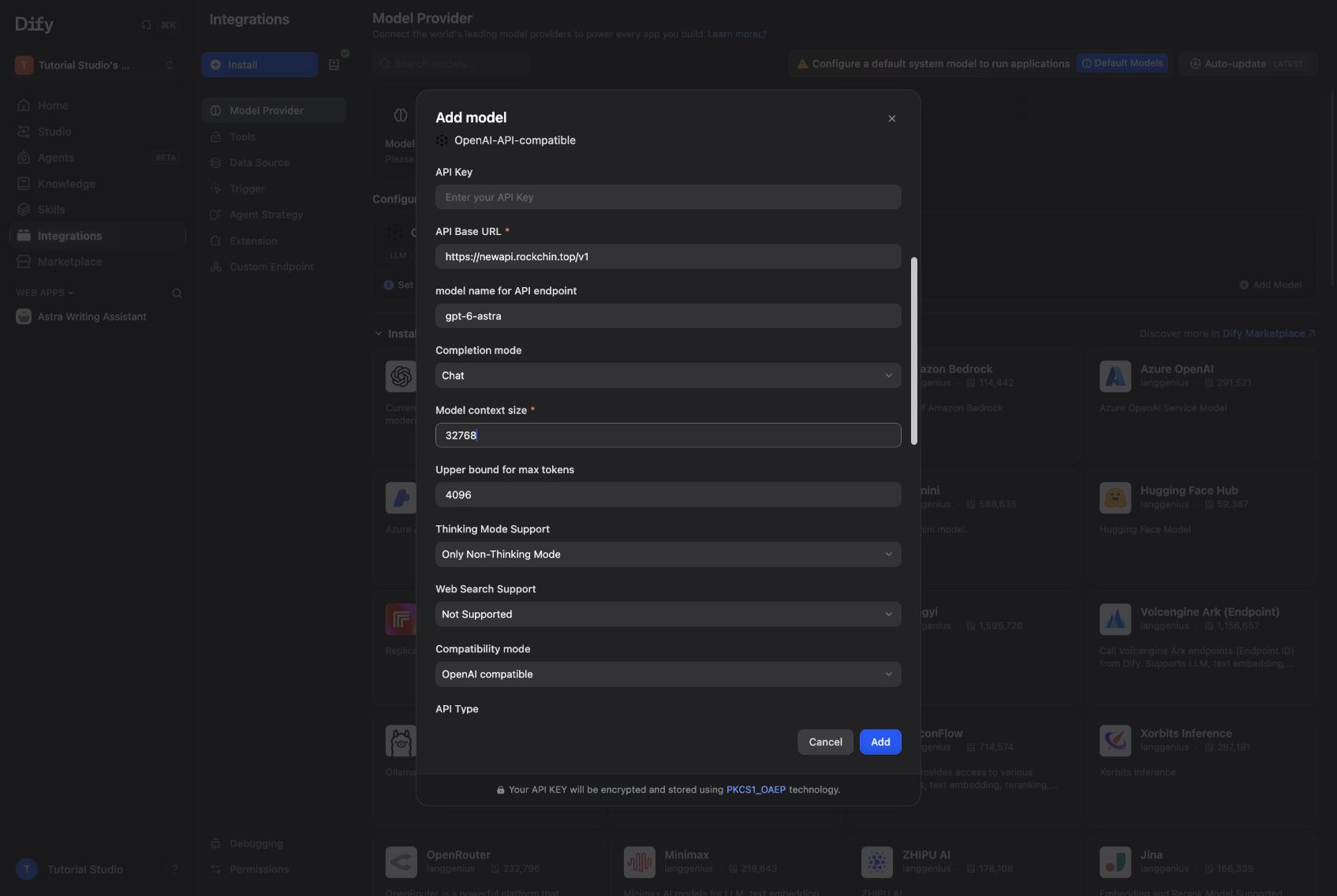
The custom model form, captured before entering the API key.
Define what each route is allowed to do
This example uses a fictional help-desk product called Northstar Desk. Its few product rules are included directly in the branch prompts, so you do not need a pre-existing knowledge base or another tutorial.
| Route | Requests | Job |
|---|---|---|
| Account | Login, invitations, workspace access | Explain the invitation recovery steps |
| Product | CSV export, trial limits, basic setup | Answer from the small set of supplied product rules |
| Human | Billing, refunds, enterprise pricing, complaints, unclear mixed requests | Explain that a human decision is needed and help the user prepare a concise request |
The Human branch produces handoff guidance. It does not create a ticket, notify an employee, or approve a refund. That distinction belongs in the prompt: otherwise the assistant may casually imply it has performed an action that the workflow never implemented.
Build the classifier and three branches
Create a Chatflow named Astra Support Router. Connect User Input to a Question Classifier, choose GPT-6 Astra, and set its query variable to sys.query.
Add these categories:
Account: login, invitation, password or workspace access
Product: usage, ticket export, setup and trial limits
Human: billing, refunds, enterprise pricing, angry complaints
or unclear mixed questions
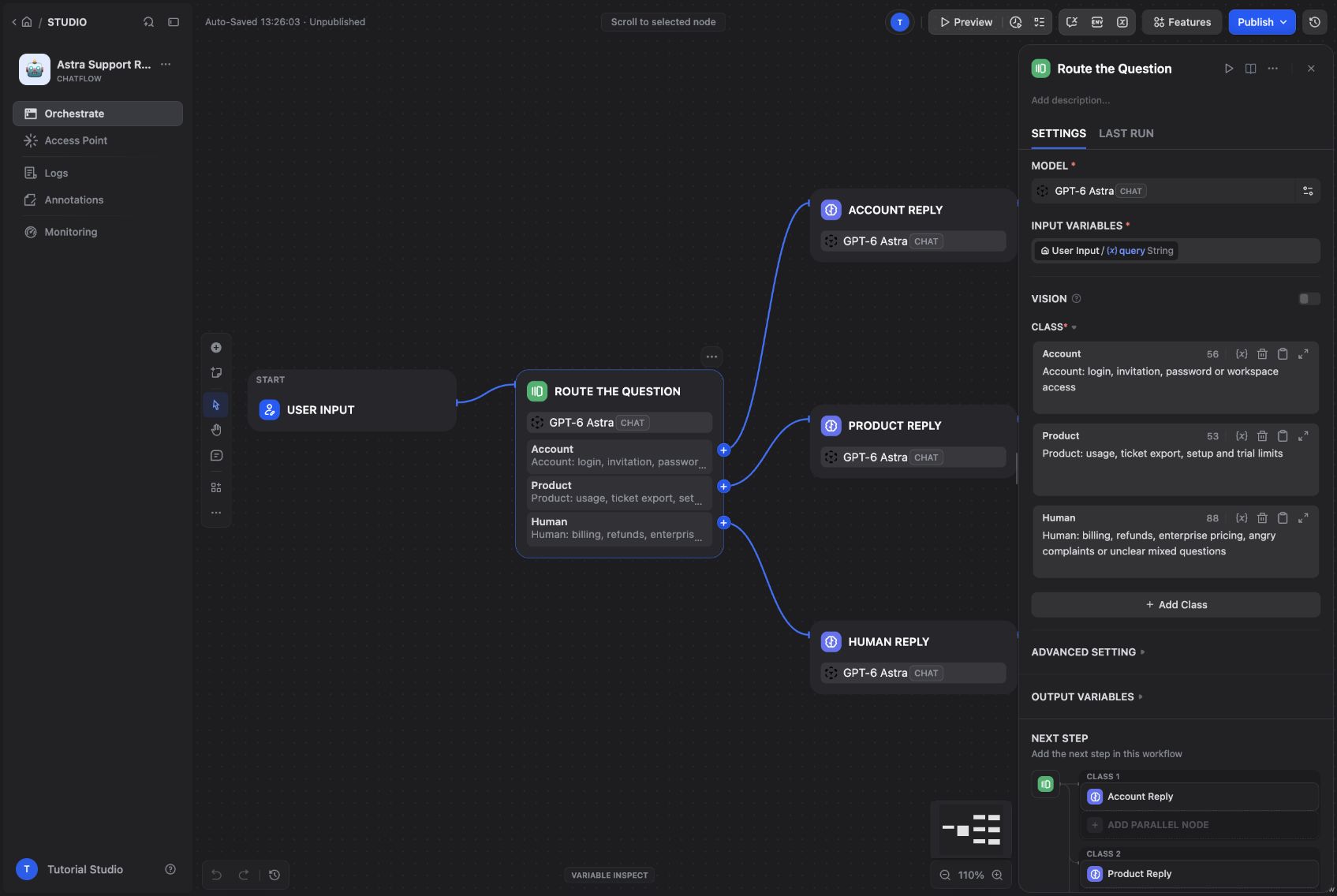
The category descriptions define the routing boundary.
In the classifier's advanced instructions, tell it to choose Human when essential context is missing or the request needs authorization. Connect each branch to its own LLM node and Answer node.
Use GPT-6 Astra in each LLM node and pass the user query through sys.query. Give the branches different system instructions:
- Account Reply: invitations expire after 48 hours. Ask the workspace owner to resend from
Settings > Members. Never request passwords. Ask one clarifying question if the problem is different. - Product Reply: owners export CSV tickets from
Settings > Data > Export; export links last 7 days. The trial lasts 14 days and supports 5 teammates and 2 inboxes. Say when the supplied notes do not cover a question. - Human Reply: acknowledge the request and explain that a human must decide. Ask for a brief issue summary and a non-sensitive reference. Tell the user to contact their support team, without inventing an address, response-time promise, or completed action.
All three prompts ask for concise replies in the user's language. Keeping the branch instructions separate makes a later change easier to review: adjusting billing guidance does not also change the login instructions.
Test the path, not only the wording
We ran an expired-invitation question, a CSV-export question, and a refund complaint. The preview identified the selected output for each run:
| Test | Observed output | Response |
|---|---|---|
| Expired invitation | Account Output | Owner resend instructions and the 48-hour limit |
| Export tickets as CSV | Product Output | Correct menu path and 7-day availability |
| Refund complaint | Human Output | Human-review guidance without claiming a refund was issued |
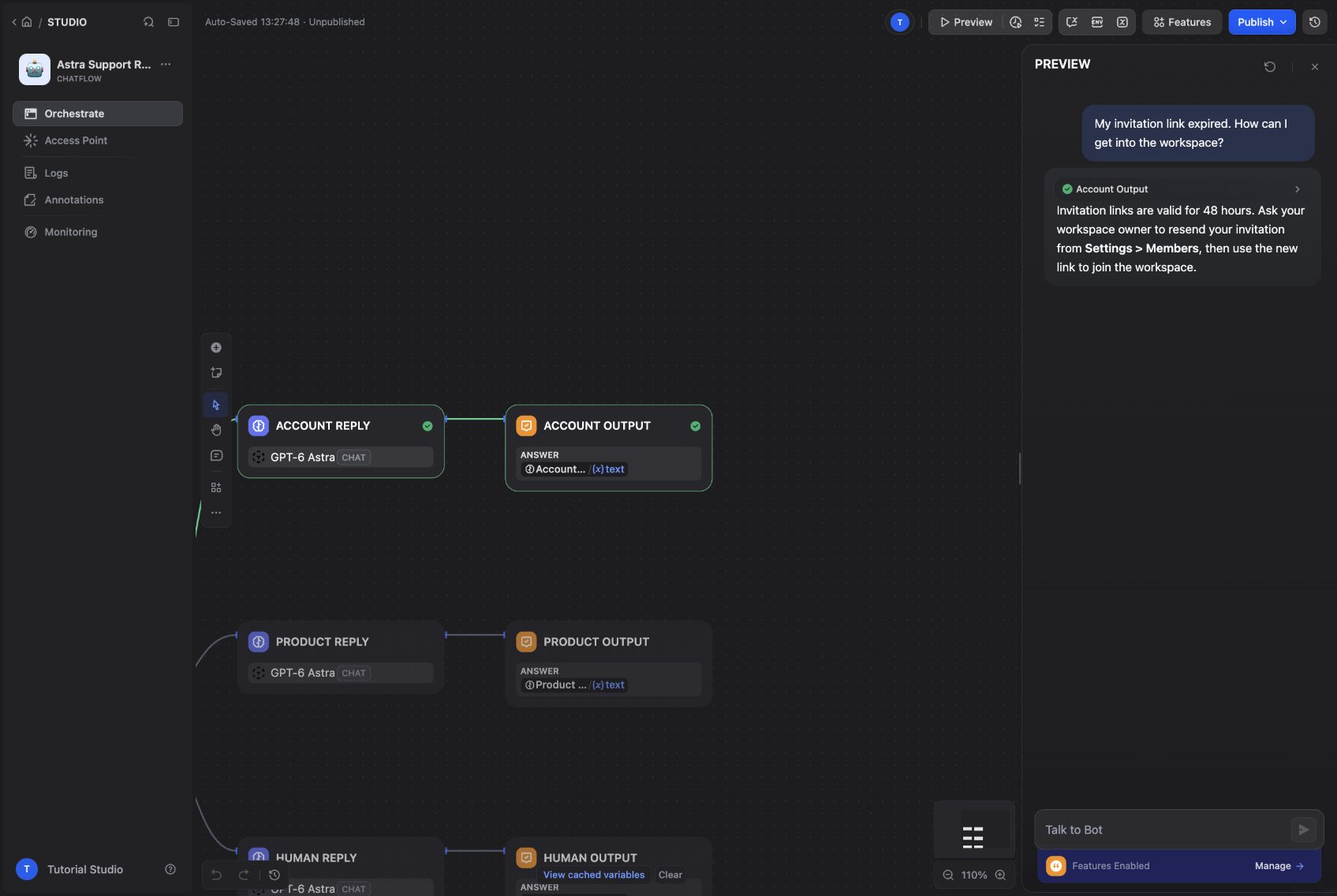
The account test follows the Account branch.
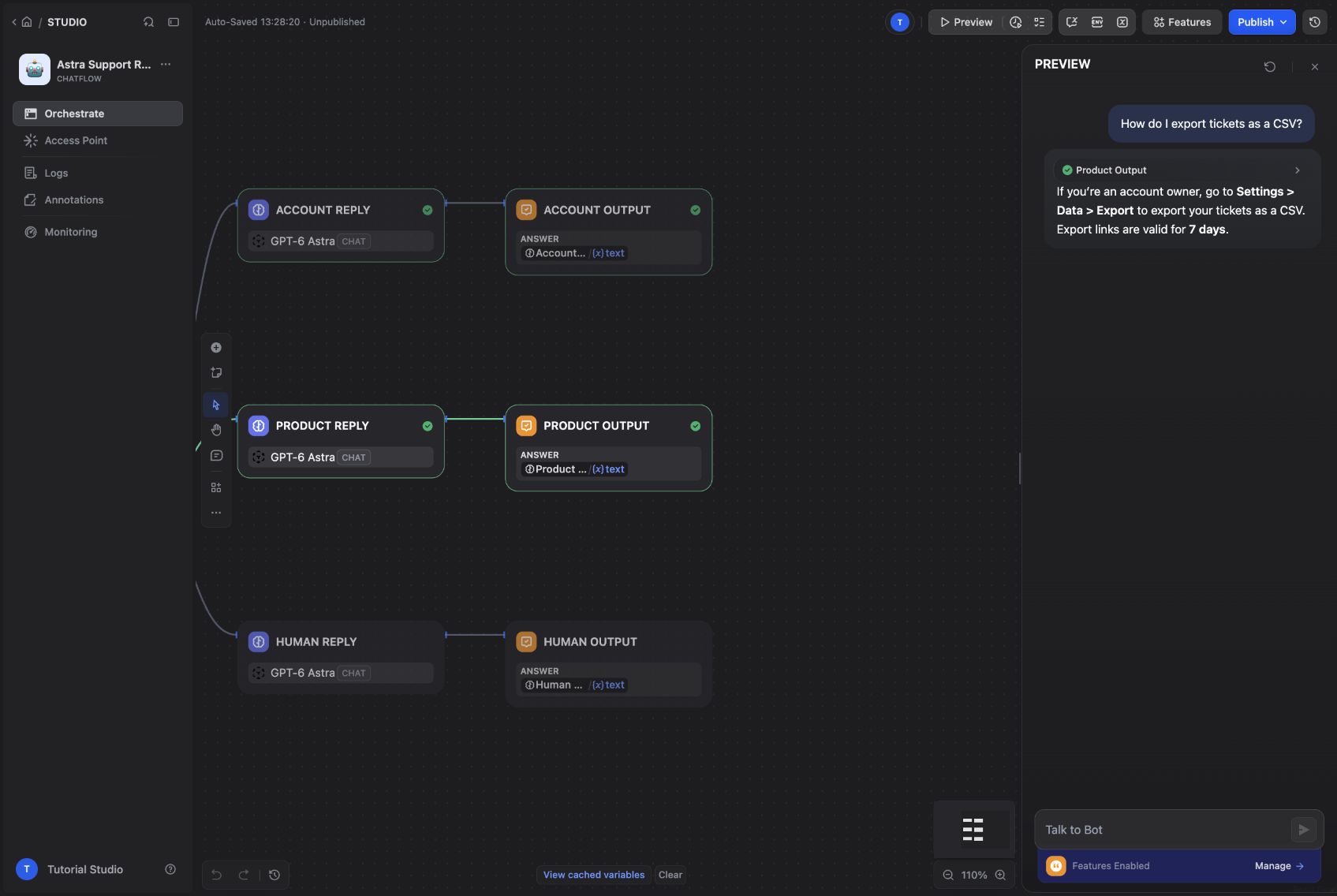
The export question follows the Product branch.
Expand the workflow process in Preview when a result looks odd. A plausible sentence can hide an incorrect route. That is why the output name is part of the test, rather than treating every fluent answer as a pass.
Put LangBot in front of the app
Publish the saved version in Dify. Open Access Point → Backend Service API → API Key and create a key for this app.
In LangBot, choose Create Pipelines, name the pipeline Astra Support Router, and open Configuration → AI:
| Field | Value |
|---|---|
| Runner | Dify Service API |
| Base URL | http://nginx/v1 |
| App Type | Chat |
| API Key | The Dify app key you just created |
The Dify app key belongs here. The Astra provider key stays in Dify. Save the pipeline, then use Debug Chat to check the complete request and response path before adding a messaging platform.
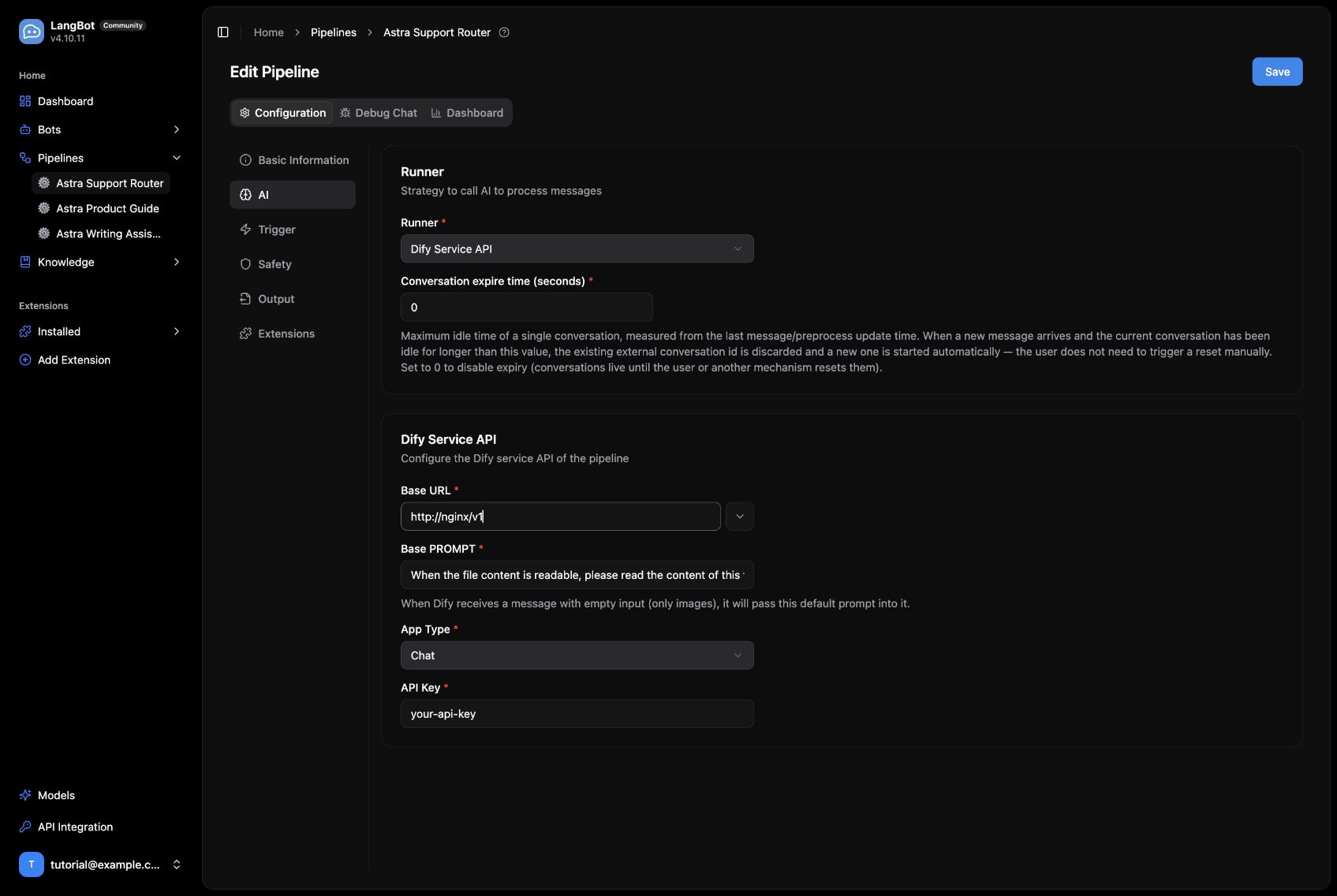
The LangBot pipeline settings, captured before entering the app key.
Run it through LangBot
The same expired-invitation question in LangBot returned the workspace-owner recovery steps. A later refund request in Chinese reached the human-review guidance. LangBot did not need its own copy of the classification rules.
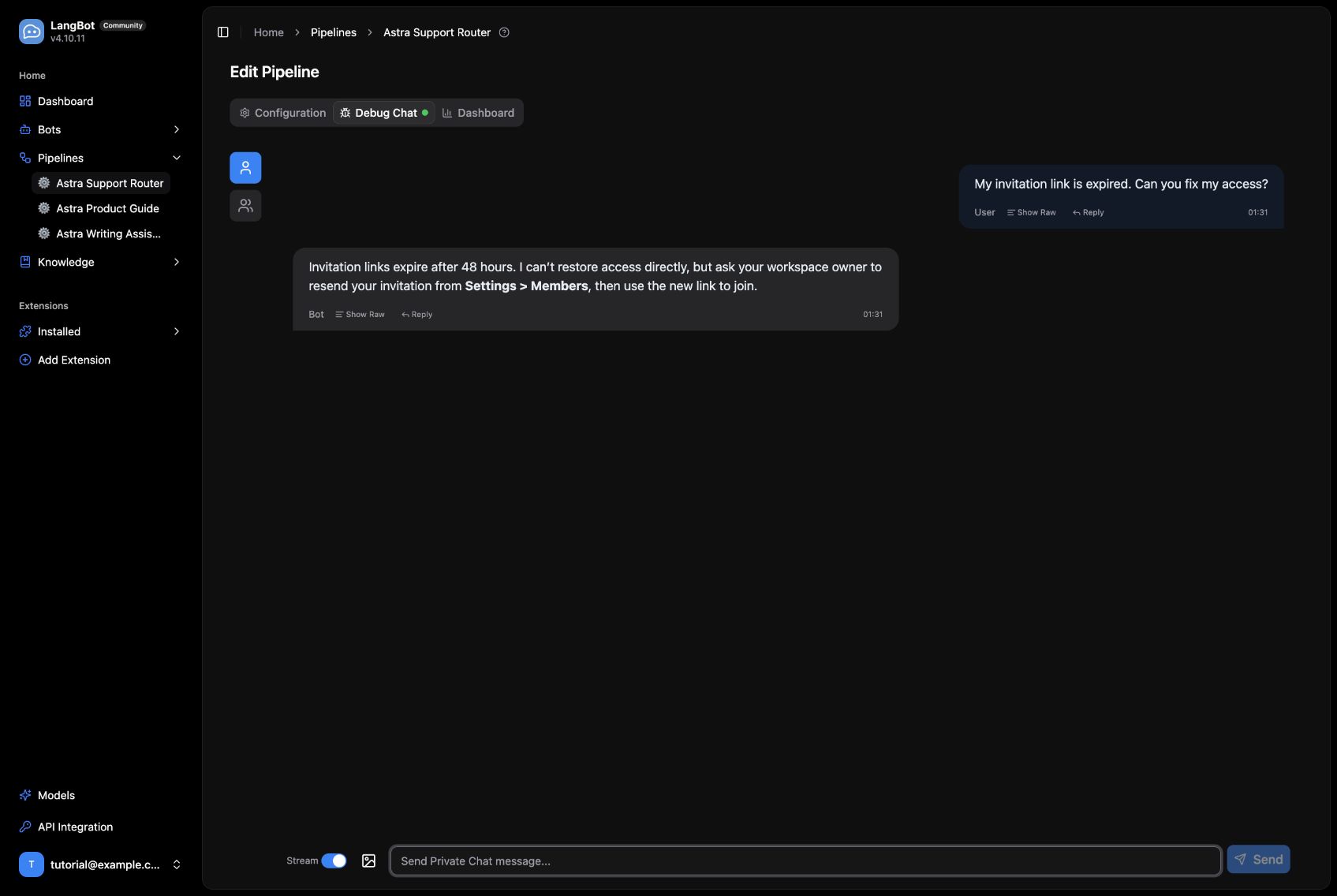
An account-support response returned through LangBot.
Before putting this in a busy Discord server or a LINE support account, add ambiguous examples such as “I cannot log in and want a refund.” If those repeatedly land in Product, refine the category descriptions and classifier instructions.
When you are ready for a real handoff, add your existing ticketing or notification API to the Human branch and handle its success and failure explicitly. The example gives you a visible place to add that action later.
Connect it to Discord and LINE
Choose Create Bots in LangBot, select your adapter, and enter credentials from that platform. After creating the bot, select the pipeline you just built. Check the pipeline's trigger rules for direct messages, group messages, and mentions before inviting it into a channel.
The measured path in this walkthrough is LangBot → Dify → GPT-6 Astra → LangBot. We inspected the real adapter forms below; we did not authorize a live Slack workspace, Discord server, Telegram bot, or LINE account for this demo.
| Platform | Setup path |
|---|---|
| Slack | Create a Slack app, grant the required bot scopes, install it to the workspace, and enter the Bot Token and Signing Secret in LangBot. Configure event subscriptions with the public HTTPS callback from the bot setup, verify it, and invite the bot to the intended channel. |
| Discord | Create an application and bot in the Developer Portal. Enter Client ID and bot Token, enable the required message intents, then invite the bot with the appropriate channel permissions. |
| Telegram | Create a bot with BotFather and enter its token. Start with a direct message; for groups, invite the bot and configure privacy mode and LangBot's trigger rules for the messages it should receive. |
| LINE | Create a Messaging API channel. Enter the Channel access token and Channel secret, configure the public HTTPS webhook, enable webhook delivery, and avoid conflicting automatic replies. |
| Mattermost | Enter the server URL and a Bot Account access token, then add that account to the relevant teams and channels. The adapter uses REST and WebSocket APIs. |
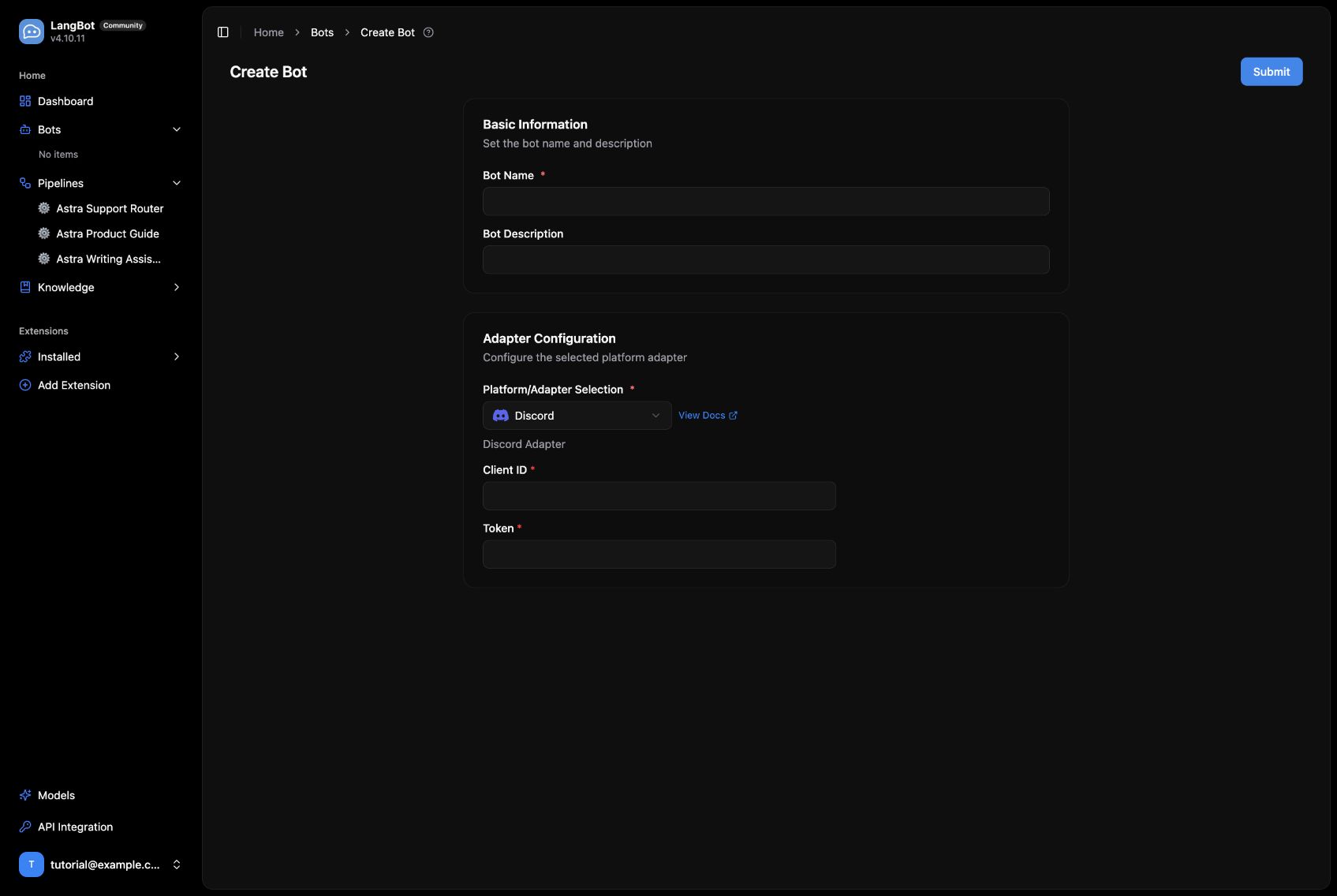
The Discord adapter uses the application Client ID and bot token.
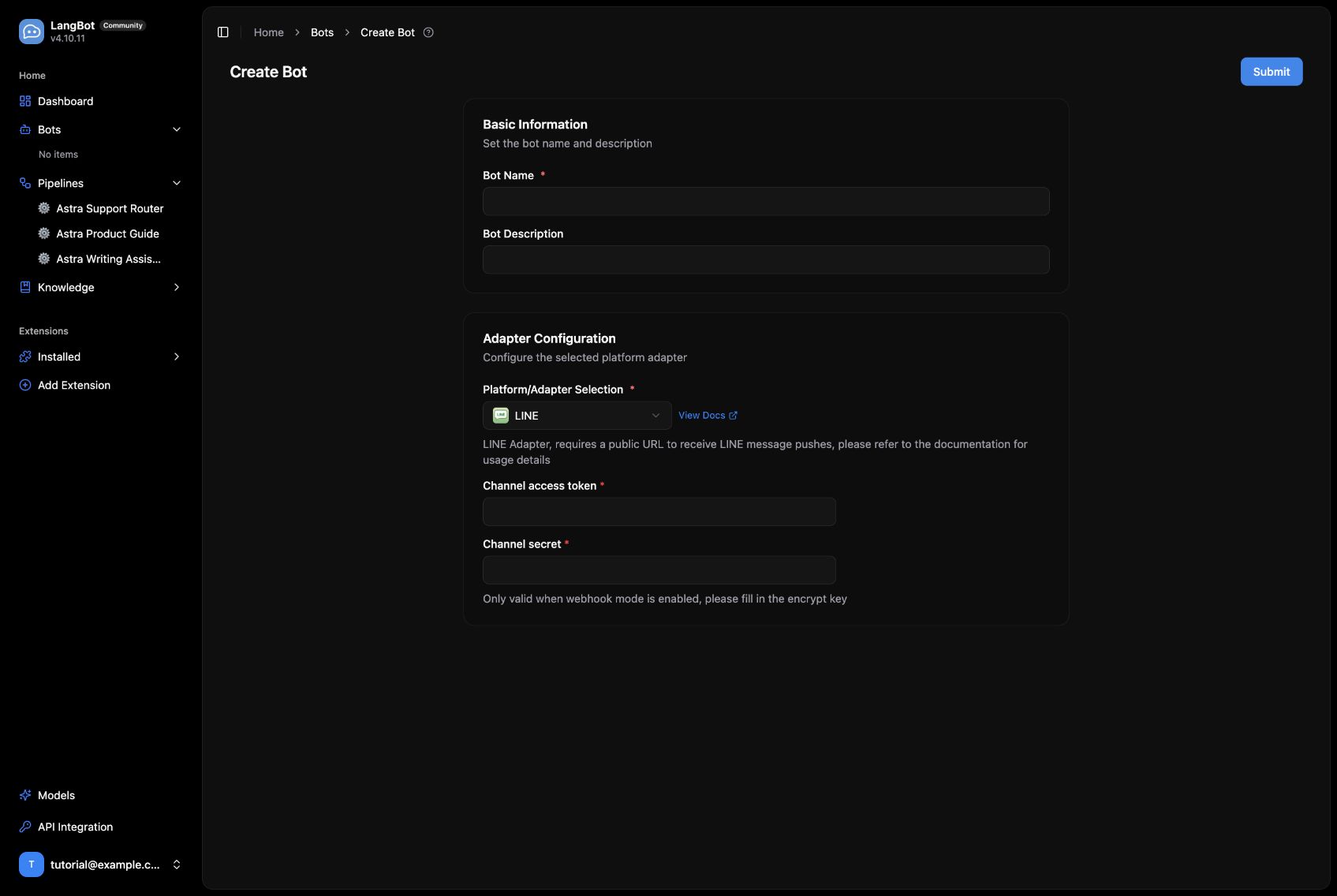
LINE requires its channel access token and channel secret.
The catalog also includes Matrix, Lark, DingTalk, WeCom, WeChat-related adapters, QQ, KOOK, OneBot v11, Satori, HTTP Bot, and Page Bot. See the platform-specific LangBot guides for the permissions and networking required by each adapter. In particular, the local-only deployment above needs a suitable public HTTPS endpoint for webhook-based integrations such as Slack and LINE.
Troubleshooting
When something fails, check the path in order: Dify preview, the published app version, LangBot's /v1 base URL and app type, then the platform's event delivery. If you change Dify service passwords, keep Redis and Celery credentials aligned, and do the same for Sandbox and its code-execution client.
Our local proxy initially returned fake DNS addresses that Dify's SSRF proxy rejected. Correcting DNS fixed the plugin download without disabling network protections. For external API calls, inspect the run record after a retry rather than assuming that a transport error means the app configuration is wrong.
Project sources: LangBot and Dify. The deployment and screenshots are from September 16, 2026; later versions may move some controls.