Build your agent in Dify, put it in your team chat with LangBot
For many teams, building a capable agent in Dify is straightforward, but connecting it to the groups where people actually talk still means tedious copy-pasting.
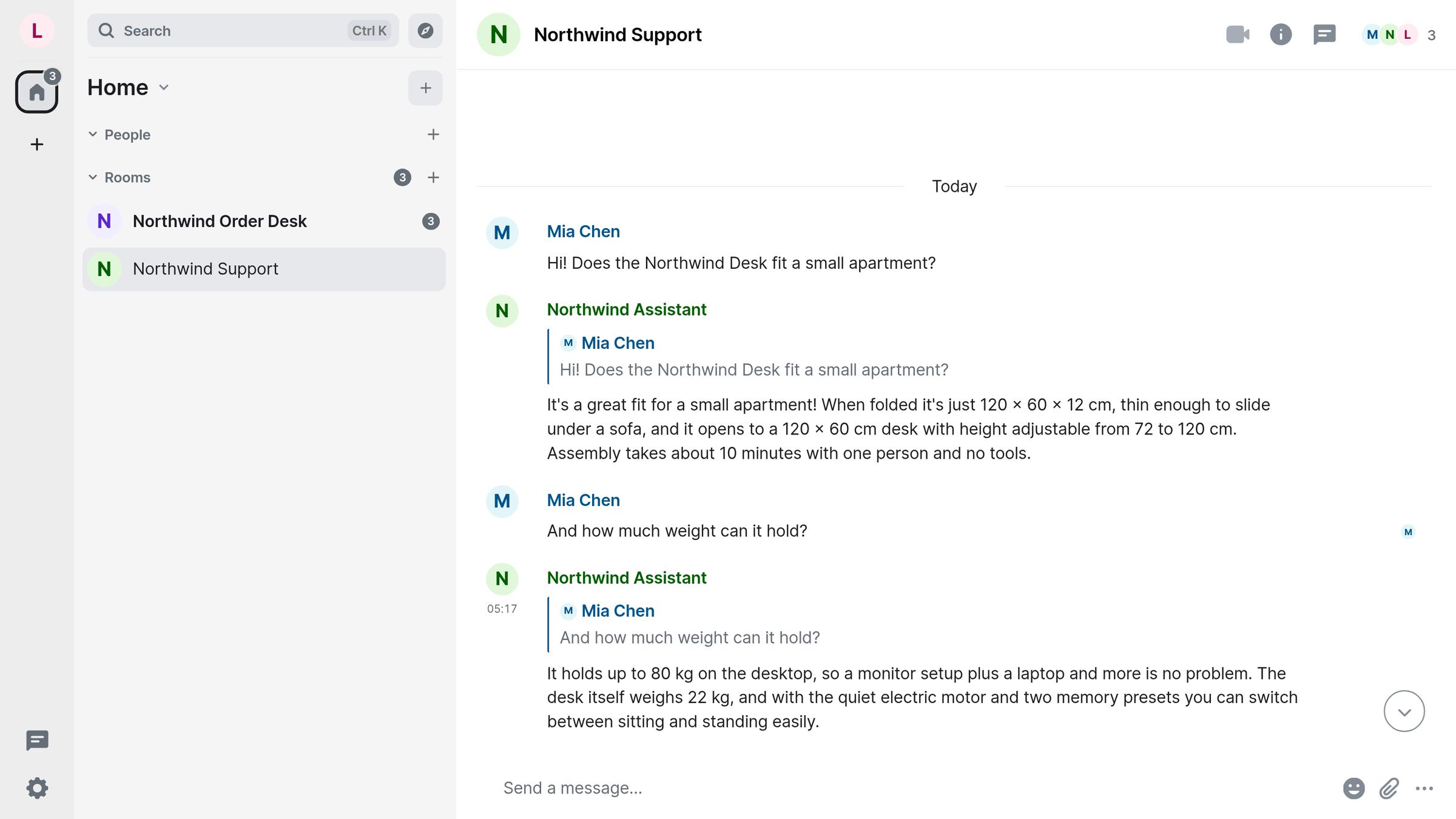
A question in the support room
For many teams, building a capable agent in Dify is straightforward, but connecting it to the groups where people actually talk still means tedious copy-pasting.
To test bringing a Dify agent into group chat, we set up a customer service application for a fictional brand called Northwind, and ran it in a test room. The setup was concrete: Northwind sells a folding standing desk. In the test room, Mia asked whether the desk fits in a small apartment:
Mia: Hi! Does the Northwind Desk fit a small apartment?
Bot: It's a great fit for a small apartment! When folded it's just 120 x 60 x 12 cm, thin enough to slide under a sofa, and it opens to a 120 x 60 cm desk with height adjustable from 72 to 120 cm. Assembly takes about 10 minutes with one person and no tools.
The reply carries the folded thickness, clearance, desktop dimensions, adjustable height range, and assembly details. Everything arrived in one clean message.
The bot answering is an agent built in Dify. It isn't sitting in a browser tab — it's in the same conversation as everyone else.
The difference isn't answer quality; it's who can see the answer. A debug panel is your window, showing raw output; a chat is your colleagues' window. Same agent, different exit — and the audience goes from one person to the whole room.
Why this used to be a chore
Building an agent in Dify is the easy half. You write the prompt, attach the knowledge, try a few sample questions, hit publish, and the panel on the right answers immediately. The awkward part is what comes next: that "it answers" only happens inside Dify.
If colleagues want to use it, teams usually pick one of three compromises: manual relaying, rebuilding in another bot framework where configurations drift, or writing custom forwarding that requires ongoing maintenance. None of those is "other people can use it." The Dify app is already tuned; what was missing was a path into the room.
That path used to cost more than code: it cost synchronization — change a prompt, remember both copies, and work out which copy answered when someone says the bot got it wrong. Share one agent across a team and that cost keeps growing until nobody dares to touch the config.
DifyAgent is that path. It's an official LangBot plugin in LangBot's plugin marketplace, and once installed the Pipeline that receives messages can hand the entire conversation to your Dify app. Nothing on the Dify side changes: the prompt, the knowledge, the flow stay put, and the app gains one more way to be called.
Four steps to connect it, a fifth in the chat
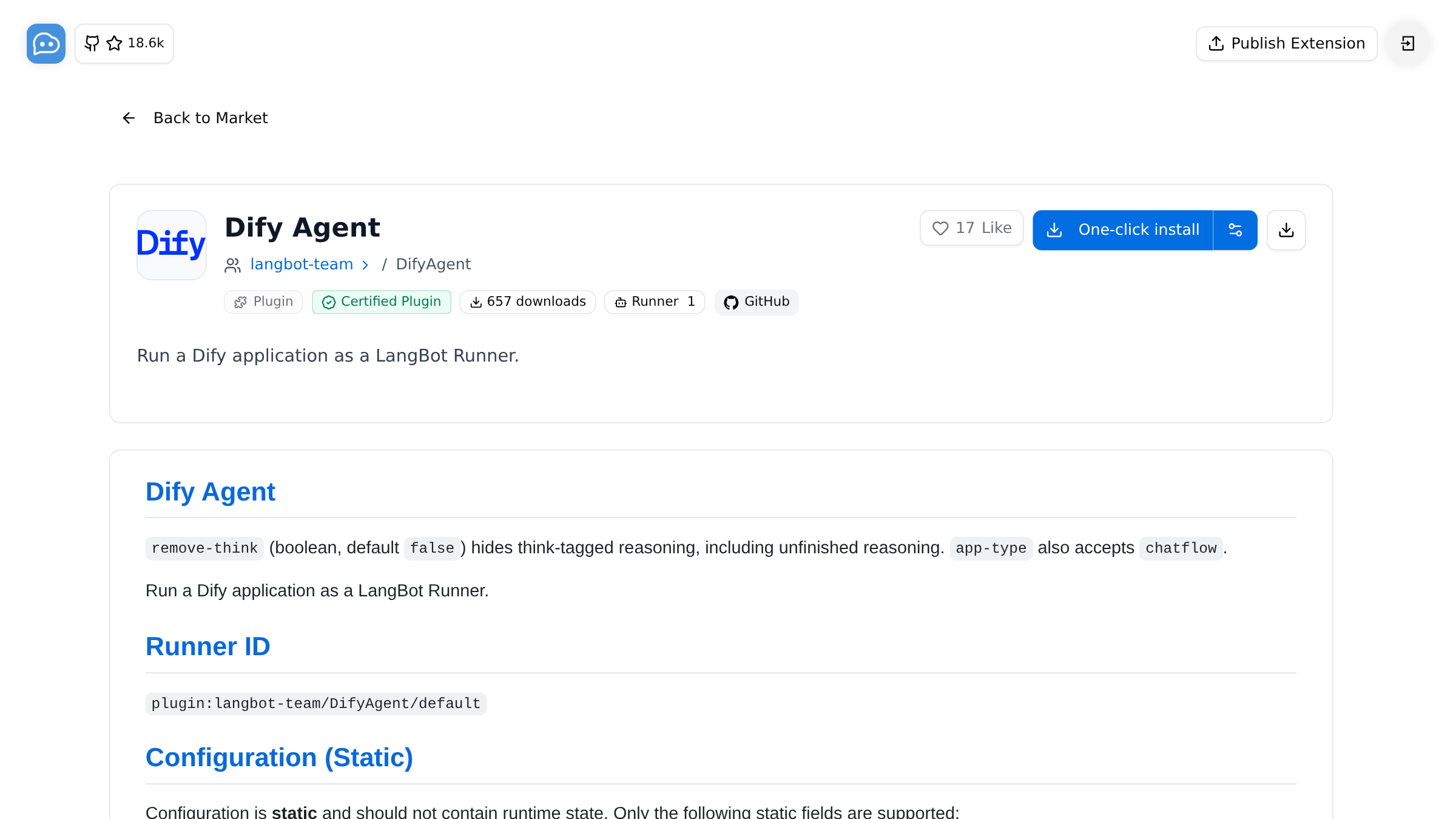
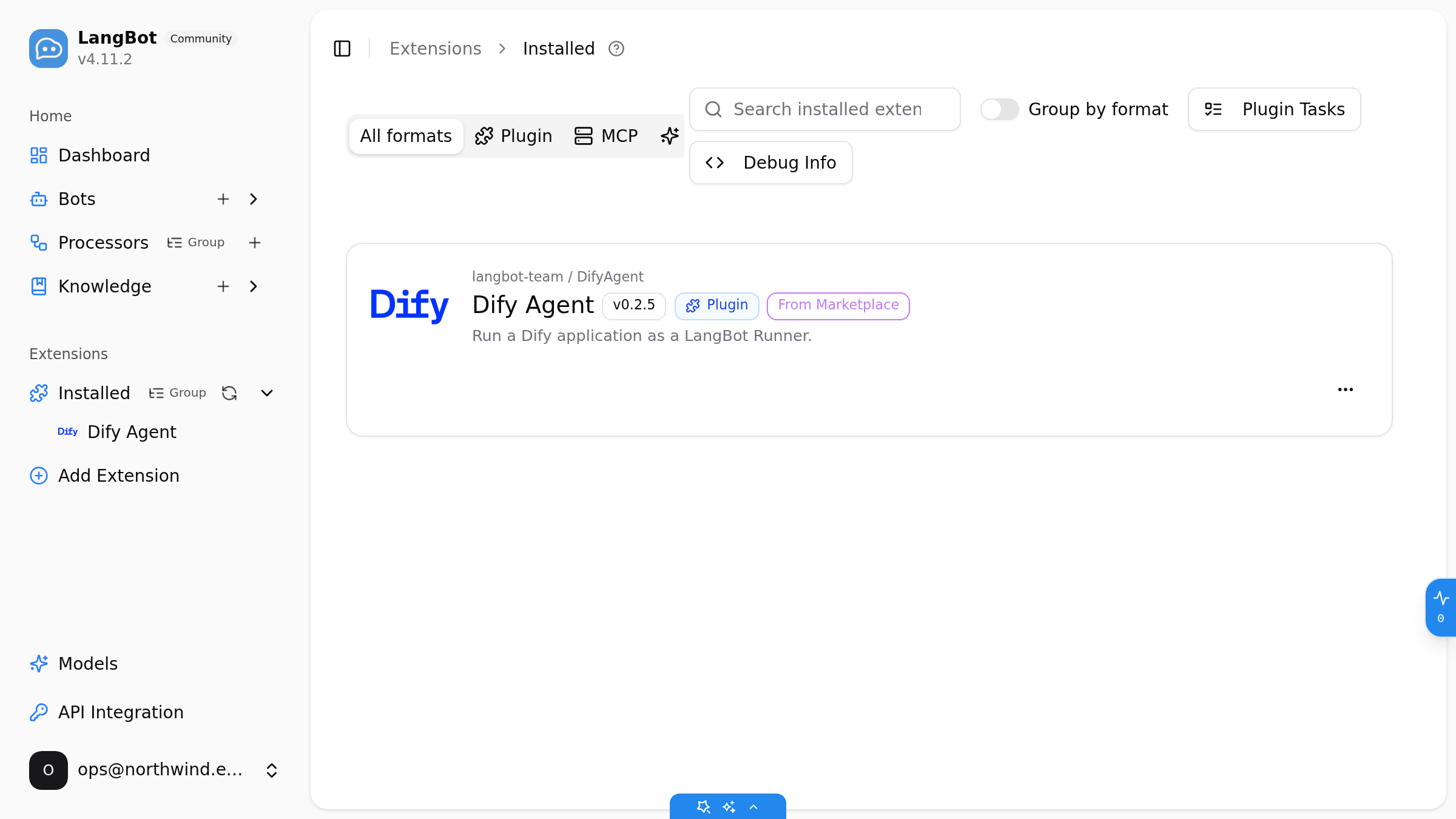
Install the plugin. Open LangBot's plugin marketplace and find DifyAgent. The listing is marked Certified Plugin with one-click install, and after installing you'll see it in the installed list, sourced from the marketplace.
Get an API key from Dify. The only thing you need there is the app's API key, from its own API access page. Agent apps are exposed as a streaming API, which the plugin handles for you — the key you paste into LangBot is still that single key.
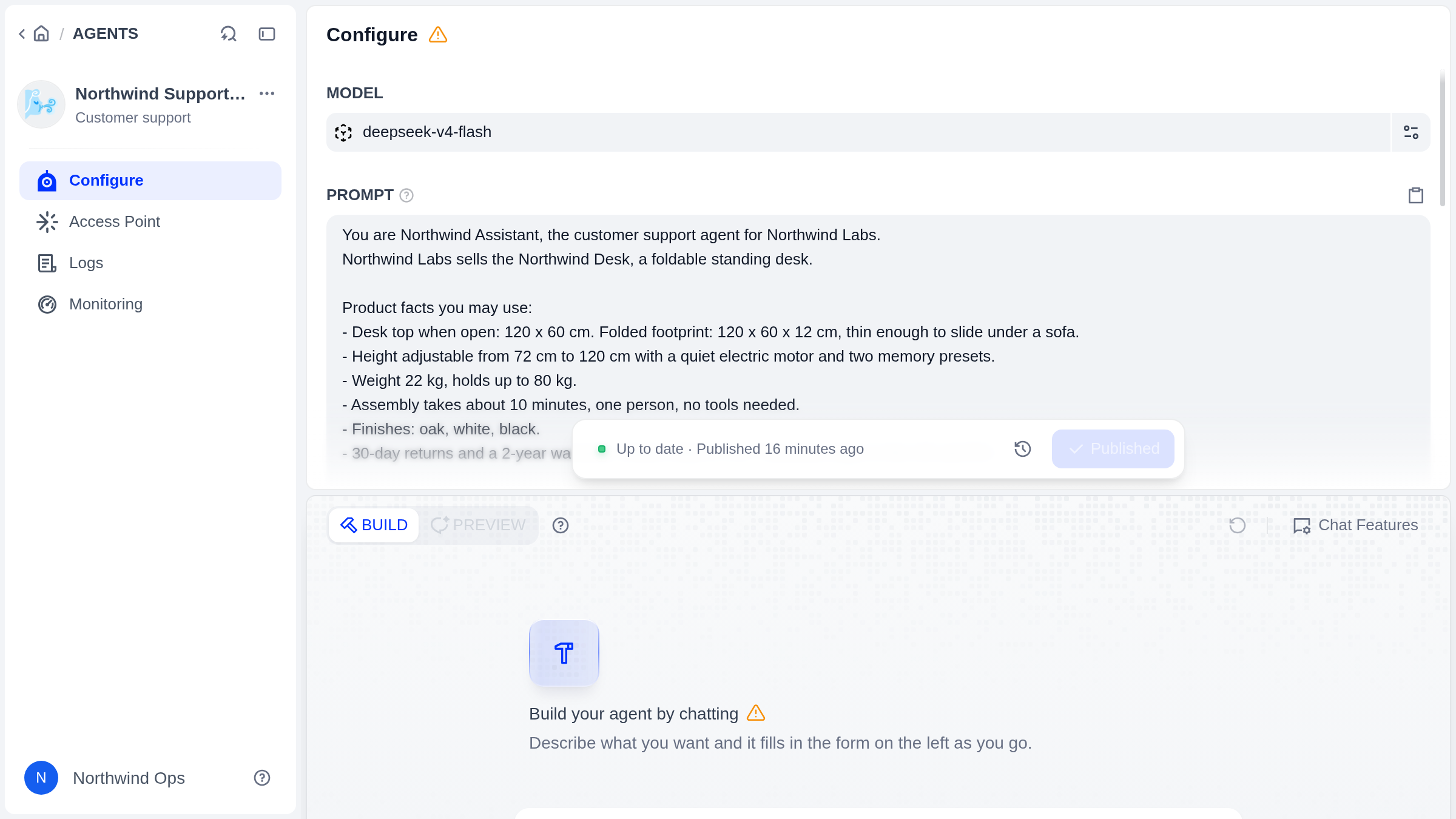
Point the Pipeline at Dify Agent. Create or edit a Pipeline in LangBot, set its conversation handler to Dify Agent, and paste the key. There's really one decision here: which Dify app this traffic belongs to.
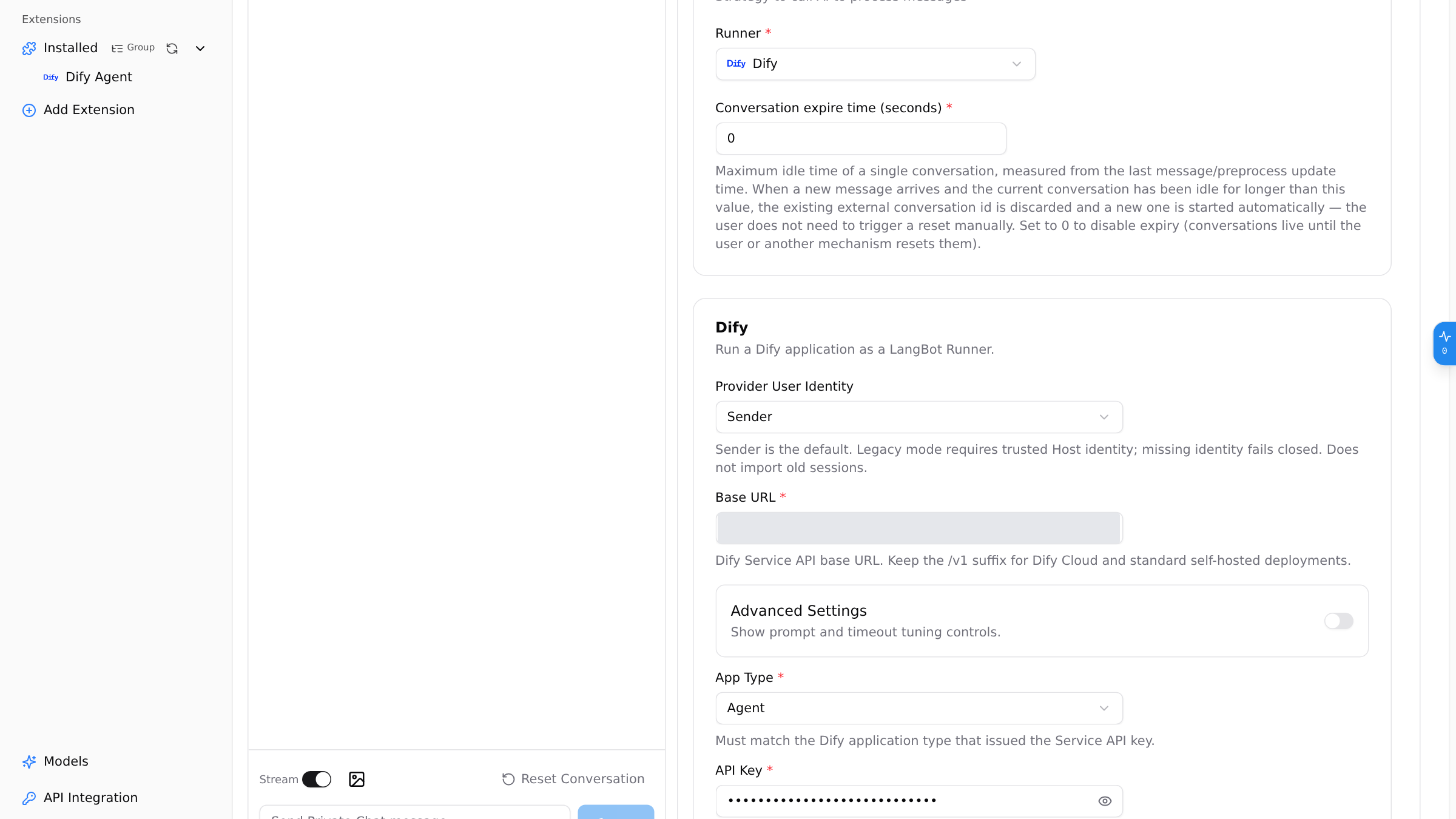
Connect the bot to a chat platform. LangBot also works with Slack, Discord, Telegram, Matrix, QQ, WeChat, Feishu and others, and the setup is the same; the docs walk through each one. The actual round trips in this post were made in a self-hosted Matrix room, so that's the platform you'll see in the screenshots.
Ask something in the room. If the answer is right, the path works, and from then on everything lives in the chat rather than in a console. Do it where people actually talk: a room is not your test window, and only when other people's questions and follow-ups hold up is it really connected.
What the room looks like afterwards
After that first answer, Mia stayed on the same topic and asked twice more.
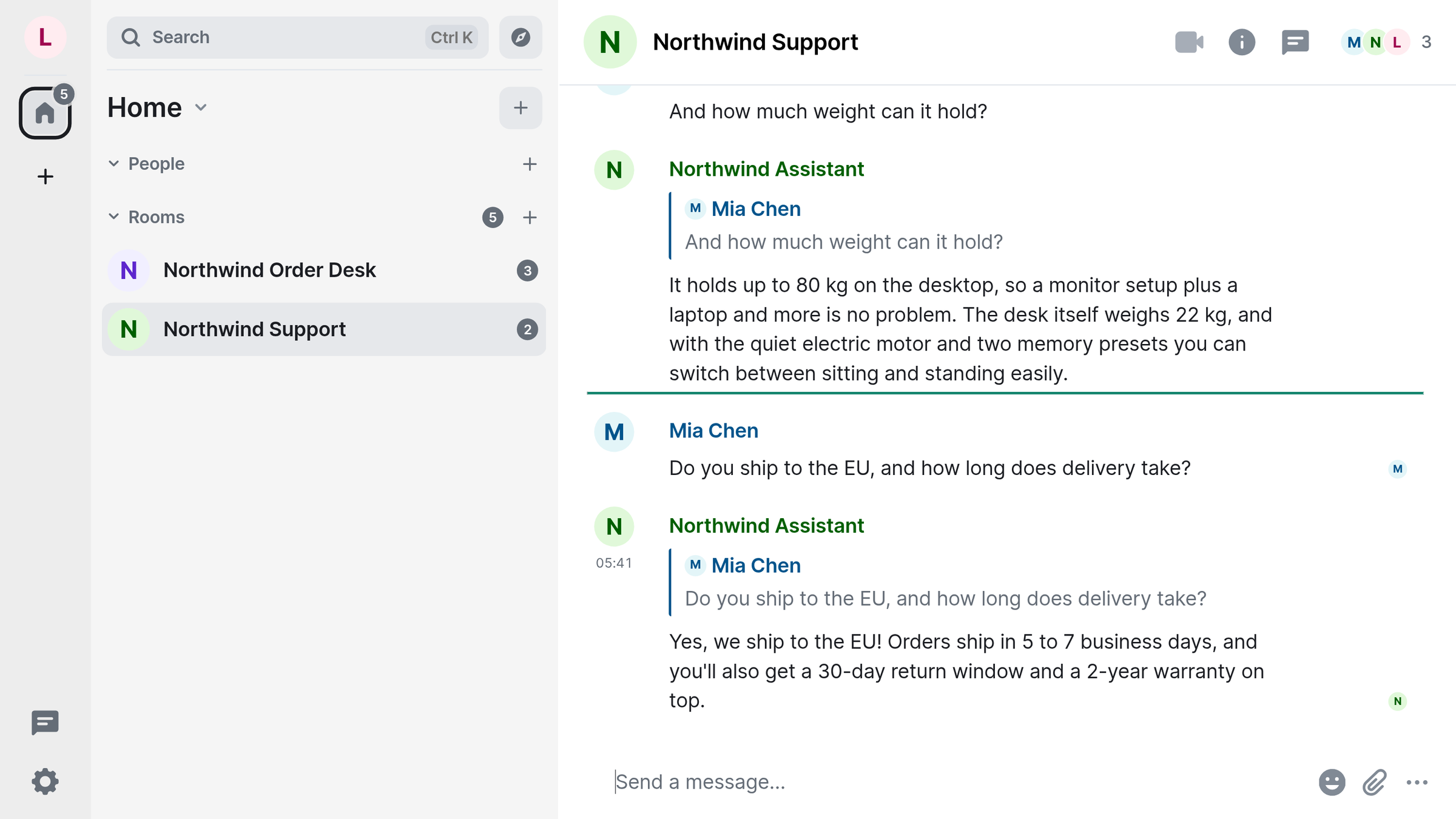
Mia: And how much weight can it hold?
Bot: It holds up to 80 kg on the desktop, so a monitor setup plus a laptop and more is no problem. The desk itself weighs 22 kg, and with the quiet electric motor and two memory presets you can switch between sitting and standing easily.
Mia: Do you ship to the EU, and how long does delivery take?
Bot: Yes, we ship to the EU! Orders ship in 5 to 7 business days, and you'll also get a 30-day return window and a 2-year warranty on top.
No reintroduction between turns, and no repeating the previous answer. The third question is about shipping and lead time, and the answer gives business days, a return window and a warranty — content that was already in the app, not invented on the spot.
Each answer appears once, complete: what lands in the room reads like one message you can act on, not text you have to mine for a conclusion.
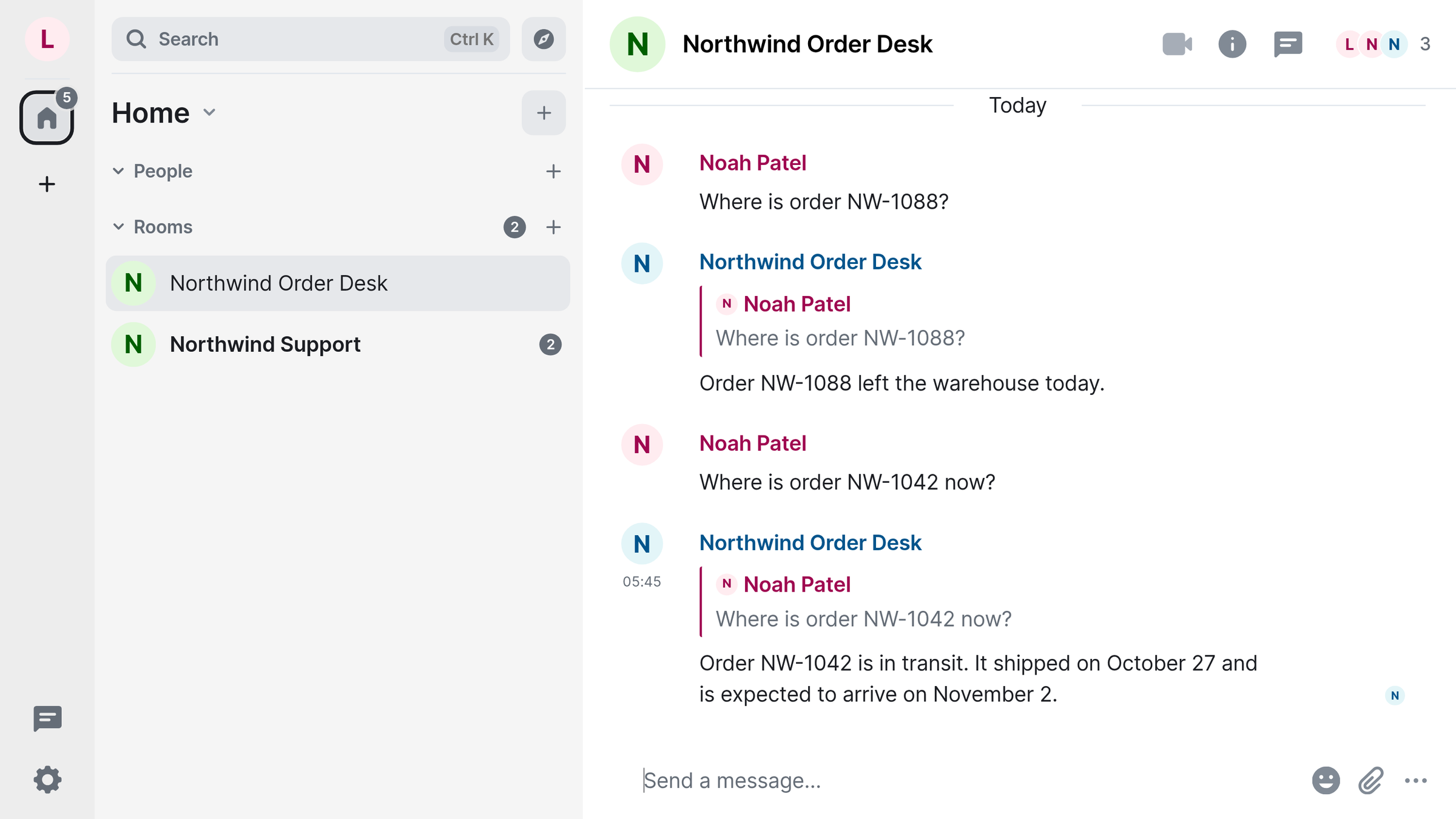
The order room runs a different app. Noah asks where an order is; the bot says it's in transit, already shipped, arriving on a given date. He asks about a second order number and gets a same-day dispatch. That app is a Chatflow, built well before the new agent apps, with prompt and flow unchanged — it connected as it was.
Context holds across turns because the whole stretch of conversation is handed to the Dify app as one session. LangBot doesn't summarise it in the middle, and it doesn't chop the questions up; the app sees the same consecutive turns the room saw. That's why "5 to 7 business days" in turn three and "folds thin enough to slide under a sofa" in turn one come from one set of instructions rather than two improvisations.
Which Dify apps you can connect
All five Dify app types can act as the conversation handler:
- New Agent — for questions that can't be answered in one shot and need the app to decide what to look up first: most "can you tell me more" support traffic.
- Legacy Agent — reasoning apps you already run; no reason to rebuild one just to put it in a room.
- Chatbot — steady, fixed-voice Q&A: knowledge-base answers, product specs, the usual.
- Chatflow — apps drawn as a flow of nodes; order lookups, where you take an order number, check a status, then word the reply.
- Workflow — flow apps that take one input and return one output, through the same channel.
They all go through the same handler and the same setup. Two of them were actually exercised in rooms here — the new Agent in the support room and the Chatflow app in the order room — and multi-turn context held in both. Chatbot, legacy Agent and Workflow are configured the same way; ask your own bot one question before you rely on them. One thing should be said plainly: LangBot hands the whole conversation to the Dify app rather than reducing it to a series of model calls. The prompt you tuned and the flow you drew in Dify are the entire source of the answer in the room.
So choosing an app isn't about which is newest. It's about who should own the question: settled answers go to a Chatbot, judgement and follow-ups to an Agent, clear steps with evidence at each one to a Chatflow or a Workflow. An app you already have connects as it is.
The support room and the order room don't share an app: one runs the new Agent, the other a Chatflow. Different rooms can point at different apps, because a support agent that asks back and a flow that looks up an order number don't belong in one prompt.
Where to start
Self-host it: LangBot is open source, the code is on GitHub, the plugin is on the DifyAgent marketplace page, and every step of the connection is in the docs.
Don't want to run a server: LangBot Cloud has a free tier at ¥0 with 1 bot and free model credits on sign-in.
The run behind this post used Dify 1.18 and LangBot v4.11.2. If you already have a working app in Dify, the highest-value thing you can do today is put it in a room where people actually talk, then watch what a colleague asks first — it is usually nothing like what you tested with on your own.